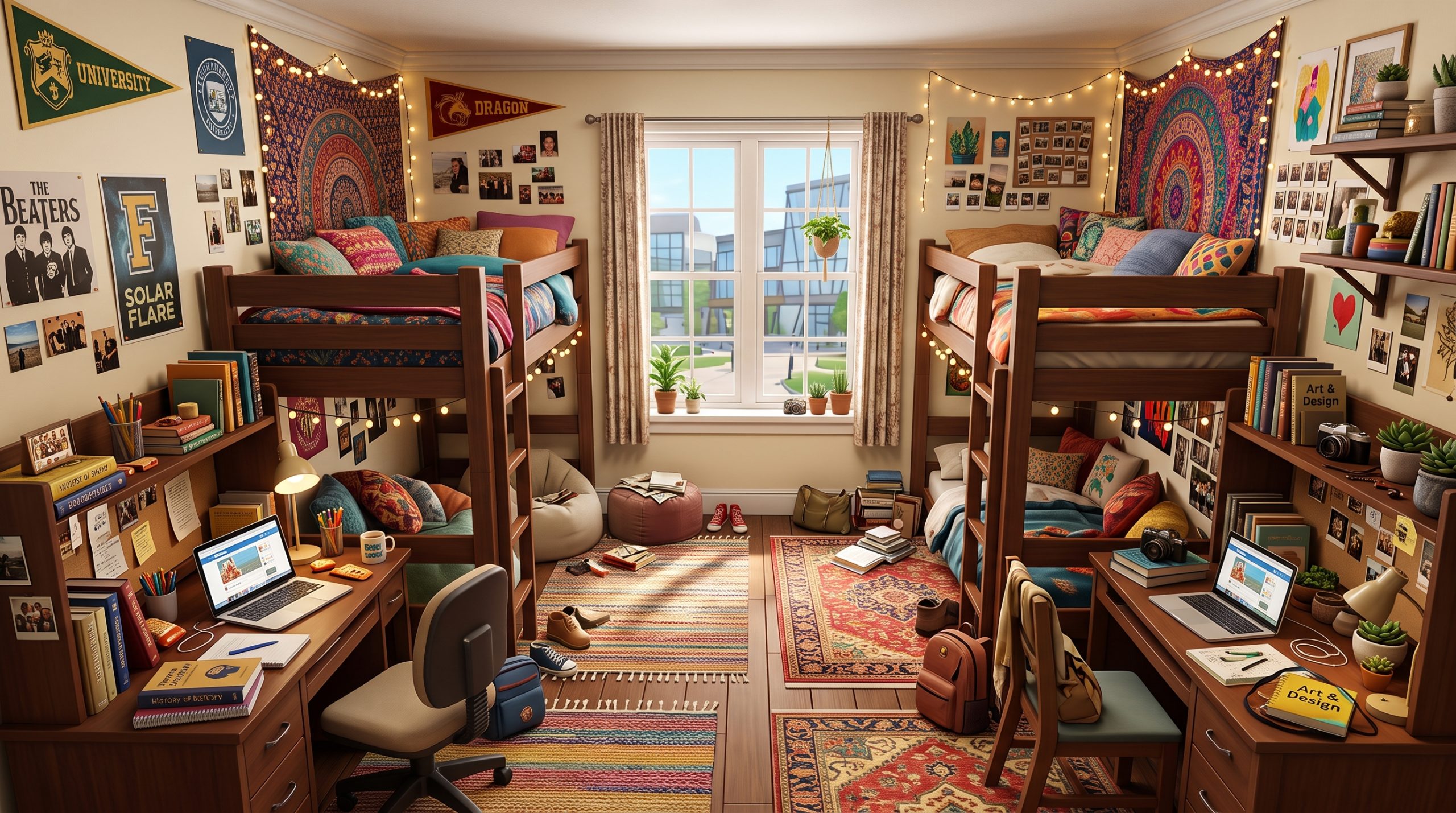
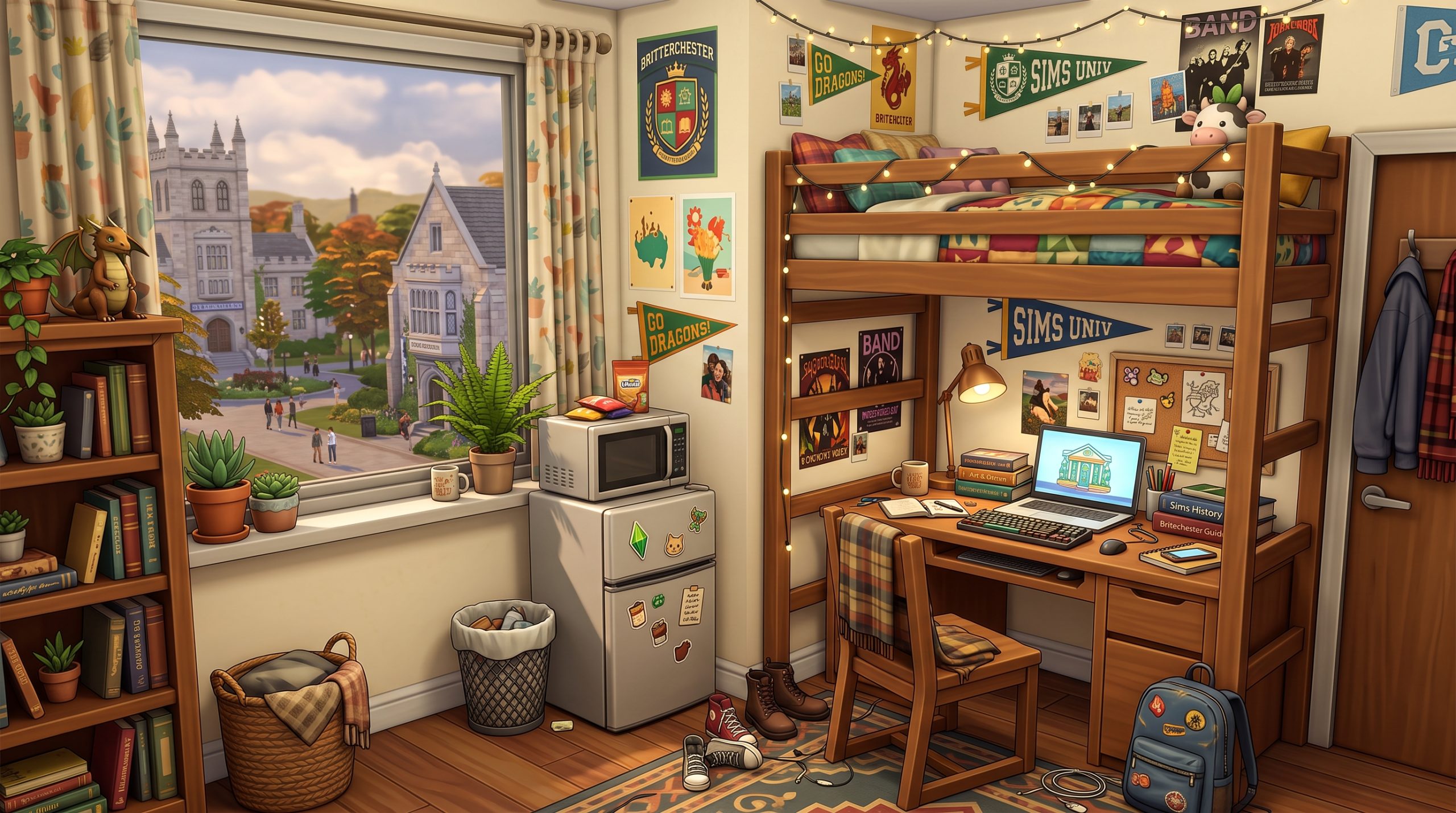
Moving your Sim off to Brighterchester or Foxbury Institute is an exciting milestone, but handling cramped living spaces can quickly turn into a headache if you do not plan your build properly. Balancing a heavy course load, skill-building gear, and social life inside a tiny room requires strategic planning and clever design tricks. If you are searching for practical small apartment ideas Sims 4 university students can actually thrive in, optimizing your floor plan is the key to preventing pathing issues and keeping your Sim’s moodlets positive. From custom micro-lofts to budget-friendly decor, transforming off-campus apartments or custom dorm rooms into stylish, efficient living spaces will make campus life far more enjoyable and productive.
Essential Space-Saving Layouts for University Sims
When designing for college-aged Sims, every single floor tile counts. The standard budget for a student moving into off-campus housing is usually tight, and the physical square footage is equally limited. Creating a streamlined Sims 4 student room layout relies heavily on breaking away from traditional room boundaries and embracing open-plan concepts that eliminate unnecessary interior walls.
The Open-Concept Studio Layout
In a standard studio layout, combining the bedroom, living area, and study workspace into one cohesive grid prevents your build from feeling claustrophobic. Instead of building solid drywall partitions between the bed and the study desk, use low-profile room dividers, half-walls, or strategically placed bookshelves. This maintains a visual flow while clearly defining functional zones for sleeping, studying, and socializing.
To maximize efficiency in an open studio grid, position the sleeping quarters in a corner furthest from the main entry door. Place the study desk adjacent to a natural light source, such as a window, to help keep light levels high without relying on bulky floor lamps. Utilize rug placement to visually block out spaces: a small accent rug beneath the bed defines the sleeping zone, while a geometric rug under a lounge chair creates an instant reading area without taking up physical wall space.
Vertical Space & Bunk Bed Routing
Verticality is a game-changer when executing tiny apartment builds Sims 4 players rely on for dense urban gameplay. Bunk beds and lofted beds, introduced in base game updates and expanded upon in various packs, allow you to stack critical gameplay objects directly beneath your Sim’s sleeping space.
- Desk Under Loft Bed: Loft a twin bed and snap a single-tile computer desk directly underneath. This cuts the required footprint for a complete study area in half.
- Lounge Seating Below: Place a small loveseat or two-seater sofa under a lofted bed to give your student Sim a place to watch TV or hang out with roommates.
- Skill Equipment Stacking: Position compact skill items, such as an easel, an acoustic guitar, or an mini fridge, under the loft frame to keep floor paths clear.
When working with vertical bed arrangements, always double-check Sim routing. Leave at least one full empty tile on the side where the ladder is attached. If you place clutter items or wall decorations too close to the ladder access point, your Sim may display the waving route-fail animation when trying to go to sleep at night.
Budget-Friendly Decor Tips for College Apartments
College Sims rarely start their academic careers with thousands of Simoleons in the bank. Decorating on a strict budget requires leveraging inexpensive Build Mode items, low-cost swatch variations, and strategic clutter placement to make a rental look warm and lived-in without draining your household funds.
Thrifted Aesthetics with Clutter Objects
You do not need high-end furniture sets to build a cozy, authentic student apartment. Mixing and matching mismatched wooden textures, thrifted vintage swatches, and fabric accents creates a realistic “college house” aesthetic. Build Mode offers dozens of low-cost decor pieces that add massive visual personality for very few Simoleons.
To achieve an authentic lived-in vibe, focus on environmental storytelling through clutter. Layer small items like stacks of textbooks, loose paper sheets, coffee mugs, and backpack accessories on desks and nightstands. Utilizing build items from the Discover University expansion pack—such as university flags, student banners, and dorm posters—instantly grounds the space in the campus theme while costing minimal Simoleons.
Affordable Wall Art and Tapestries
Blank drywall makes tiny rooms feel sterile and institutional. Decorating walls with full-scale wallpaper can quickly add up, but applying low-cost paint textures combined with wall art generates high environment scores for minimal investment.
- Photo Wall Collages: Have your Sim take photos using their in-game smartphone, print them out in standard sizes, and pin them directly to the bedroom wall. This costs almost nothing and adds dynamic, personal memories to the room.
- Fabric Tapestries: Use large fabric wall hangings or corkboards to fill wide vertical spaces above desks or beds without paying high artwork prices.
- String Lights and Postcards: Decorate around window frames using budget-friendly string lights or wall clipboards filled with field notes and sketches.
Combining these wall accents raises the environment rating of the apartment room, which grants your Sim positive environment moodlets. These moodlets boost emotional states like Inspired or Focused, making it much easier for your student to excel at homework and research projects.
Functional Micro-Lofts for Busy Students
For players working within extremely tiny square footage—such as 32-tile or 64-tile micro-builds—micro-lofts represent the ultimate architectural solution. These builds utilize high ceilings, platforms, and open mezzanine levels to separate sleep zones from living zones without creating enclosed, dark rooms.
Combining Sleeping and Study Areas
Platform tools in The Sims 4 allow you to create raised steps within a single story level. Elevating the study area by two platform steps creates a psychological and visual distinction between working space and relaxing space. You can recess a desk setup into a platform nook or raise the bed onto a platform stage that features built-in storage drawers along the front edge.
When building micro-lofts, aim to build overlapping functional zones. For example, place a small dining counter against the back of a sofa, eliminating the need for a separate dining table. When implementing these **small apartment ideas Sims 4 university** setups ensures that your academic Sims spend minimal time walking between necessary objects, saving precious in-game hours during busy exam weeks.
Managing Routing and Sim Navigability
The biggest hurdle with micro-loft builds is Sim pathing. Compact furniture setups often run into invisible collision boxes that block Sims from interacting with objects. To ensure your custom micro-loft remains 100% playable, adhere to strict tile management rules during construction.
| Object Type | Required Tile Clearance | Routing Tip |
|---|---|---|
| Study Desk & Chair | 1×2 Tiles | Ensure the chair has at least 1 tile behind it to pull back. |
| Mini Fridge & Microwave | 1×1 Tile | Can be stacked directly on top of small counters or tables. |
| Single / Bunk Bed | 1×2 Tiles | Keep at least one side wall clear for entry and exit animations. |
| Bookcase / Research Machine | 1×1 Tile | Requires clear front access; do not block with rug edges. |
Always test your micro-loft layout in Live Mode before committing to a full academic term. Command your Sim to sleep, sit on the desk chair, use the computer, and cook a quick meal on the microwave to ensure no invisible routing barriers exist in your compact layout.
Shared Dorm Room Designs for Multi-Sim Housing
Many students in Sims 4 Discover University housing share living space with roomies, townies, or playable household members. Shared dorms present a distinct spatial challenge: accommodating two or more distinct Sim personalities within a single small room without resulting in overcrowding or continuous pathing failures.
Partitioning Shared Bedrooms
Giving each roommate a distinct, personalized feel within a shared space keeps the environment visually engaging. Instead of arranging twin beds symmetrically side-by-side like a hospital ward, use asymmetric arrangements to divide the floor space naturally.
Position two beds along opposite walls running in reverse directions, placing a tall bookcase or wardrobe directly between them in the center of the room. This effectively cuts the shared bedroom into two semi-private cubbies. Alternatively, use semi-transparent room curtains or wooden slatted screens to separate the sleeping zones while allowing ambient light to penetrate the entire space.
Communal Living vs. Private Study Corners
When multiple Sims live under one roof, designated study areas can quickly become crowded. If all roommates try to access a single desk at the same time to complete their homework before a 10:00 AM lecture, routing bottlenecks occur.
- Dual Study Desks: Place two narrow single-tile desks side-by-side along a main wall, separated by a slender desk lamp or supply organizer.
- Communal Dining Table as Workspace: Instead of separate desks, install a large 4-seater dining table in the central living space. Sims can sit at table slots with their laptops or physical homework folders simultaneously.
- Bed-Based Studying: Remind your Sims that they can complete homework while sitting directly on their bed. Leaving open floor space around the bed footboard ensures they can sit down easily without needing dedicated chairs.
Creating shared spaces that flex seamlessly between social hangouts and silent study environments makes off-campus student housing much more dynamic during active gameplay sessions.
Study-Focused Nooks and Workspace Ideas
Academic performance is the core loop of college gameplay. If your Sim takes too long to navigate to their computer or lacks an inspiring study space, their grades can suffer. Designing hyper-efficient, dedicated study nooks helps streamline daily study routines.
Under-Stairs Desks and Window Alcoves
Unused floor tiles under staircases are prime real estate for study spaces in two-story townhomes or duplexes. By placing a custom built-in counter or standard one-tile desk directly beneath the slope of a staircase, you reclaim space that would otherwise remain dead environment tiles.
Window alcoves are another ideal spot for workspace integration. Placing a desk directly inside a bay window framing or structural nook creates an aesthetic “built-in” look. Accentuate the alcove with hanging plants, wall shelves filled with reference books, and focused task lighting to create a dedicated nook that keeps your Sim focused on writing term papers.
Skill-Building Tech in Compact Spaces
College Sims need to raise specific skills to excel in specialized degree programs like Fine Art, Computer Science, or Communications. Fitting heavy skill-building equipment into small apartment footprints requires choosing space-efficient alternatives.
- Laptops vs. Desktop Towers: Purchase an in-game laptop from the university kiosk rather than a bulky desktop PC. Laptops can be stowed directly into your Sim’s personal inventory, freeing up the desk surface for other activities when not in use.
- Digital Sketchpads: Substitute traditional, bulky art easels with the digital sketchpad. It allows Sims to build the Painting skill anywhere—on the couch, in bed, or at a tiny coffee table.
- Compact Research & Debate Gear: Instead of the massive Research Archive Machine, use personal computers or laptops to execute research tasks, saving vast amounts of floor space in small rooms.
By streamlining your tech choices, your student Sim can build all necessary degree skills within a tiny footprint without cluttering up vital movement pathways.
Must-Have Build Mode Items for Small Sims 4 Apartments
Succeeding with tight residential spaces is much easier when you know which specific items offer maximum utility per square tile. Certain expansions and game packs contain essential furniture pieces built specifically for space management.
Multi-Functional Furniture Sets
Multi-functional items serve double duty, granting high motives while occupying minimal space grid tiles. Investing in these objects early in your build process frees up floor space for decor and leisure items.
Murphy beds, introduced in the Tiny Living Stuff Pack, are arguably the ultimate space-saving asset. By day, these beds fold upward against the wall to reveal an integrated sofa or bookshelf. By night, your Sim folds the bed down to sleep. This grants full living room functionality and full bedroom utility within the exact same grid footprint. Just make sure to upgrade the Murphy bed with high Handiness skills to prevent catastrophic mechanical failures!
Modular shelving units and storage ottomans are equally vital. Wall-mounted shelving units allow you to display clutter, books, and lamps without taking up any floor space whatsoever. Hanging items on vertical wall planes keeps the actual grid clear for Sim movement.
Space-Saving Appliances and Storage
Kitchens in student apartments do not require full-sized stoves, heavy range hoods, or sprawling marble islands. A functional student kitchen can easily fit into a 2×1 tile space.
- Mini Fridge & Microwave Combination: Slot a microwave directly on top of a single mini fridge unit. This grants full quick-meal cooking capability and meal storage within a single 1×1 floor tile.
- Single-Tile Bar Counters: Use single-tile island counter ends to build compact breakfast nooks that double as food preparation surfaces and dining tables.
- Trash Chutes and Wall-Mounted Cans: In apartment units, skip bulky plastic trash cans and install wall-mounted trash chutes or narrow recycling bins tucked into narrow corners.
Utilizing these targeted tools allows you to craft complete, highly functional living quarters that look incredible, perform efficiently in gameplay, and preserve your household Simoleons.
Frequently Asked Questions
Can you edit university dorms and apartments in The Sims 4?
Yes, you can edit university housing, but with specific limitations depending on the property type. For standard off-campus rental apartments in worlds like San Myshuno or custom worlds, you can edit them freely through Build Mode. However, for official university dormitories located directly on campus grounds in San Brighterchester or Foxbury, standard editing is locked while Sims are actively living there. To edit active university dorms, open the cheat console (Ctrl + Shift + C on PC/Mac, or all four shoulder buttons on console) and type bb.enablefreebuild. This unlocks full Build/Buy access, allowing you to modify wall placement, add furniture, and customize the layout entirely.
What build cheats help make small university apartments in The Sims 4?
The most essential cheat for small apartment builds is bb.moveobjects on. This cheat allows you to ignore object grid snapping and overlap items closer together, such as tucking a mini fridge partially under a counter or placing wall clutter densely on shelves. Other extremely useful cheats include using the bracket keys ([ and ]) to resize decor items larger or smaller, and holding Alt while dragging objects to achieve free-form placement off the standard tile grid. Using bb.showhiddenobjects also unlocks debug clutter items like textbooks, food packaging, and supplies to add realistic college details for cheap.
Which expansion packs work best for small Sims 4 student apartments?
While the base game offers decent options, combining specific packs yields the best results for student housing builds. The Discover University expansion is fundamental, providing student-themed decor, bunk beds, mini fridges, laptops, and campus flags. The Tiny Living Stuff Pack is unequaled for micro-builds, offering fold-out Murphy beds, space-saving media units, and all-in-one desk furniture. Additionally, City Living introduces compact apartment building mechanics and urban wall textures, while Dream Home Decorator adds incredible modular wall shelving and sectional furniture systems that fit perfectly into tight rooms.
How do you fit all essential items in a tiny Sims 4 apartment?
Fitting every required gameplay item into a tiny footprint requires prioritizing multi-functional furniture and utilizing vertical wall space. Use bunk or lofted beds to stack desks or sofas underneath sleeping quarters. Replace full kitchen setups with a single mini fridge with a microwave placed on top. Eliminate separate dining tables by using breakfast bar counters or having your Sims eat on their bed or sofa. Finally, utilize wall-mounted lighting, floating shelves, and digital tablets instead of bulky floor lamps, bookcases, and traditional easels to keep movement paths fully open for your Sims.
Conclusion
Designing compact off-campus rentals and housing layouts does not mean sacrificing style, comfort, or gameplay functionality. By combining vertical space tricks, smart spatial arrangements, and budget-conscious styling, you can transform even the smallest floor plans into rich, highly efficient student homes. Taking the time to test out these **small apartment ideas Sims 4 university** layouts will transform your gameplay experience, allowing your Sims to focus on earning straight A’s, developing key skills, and enjoying their college years without fighting against frustrating pathing glitches.