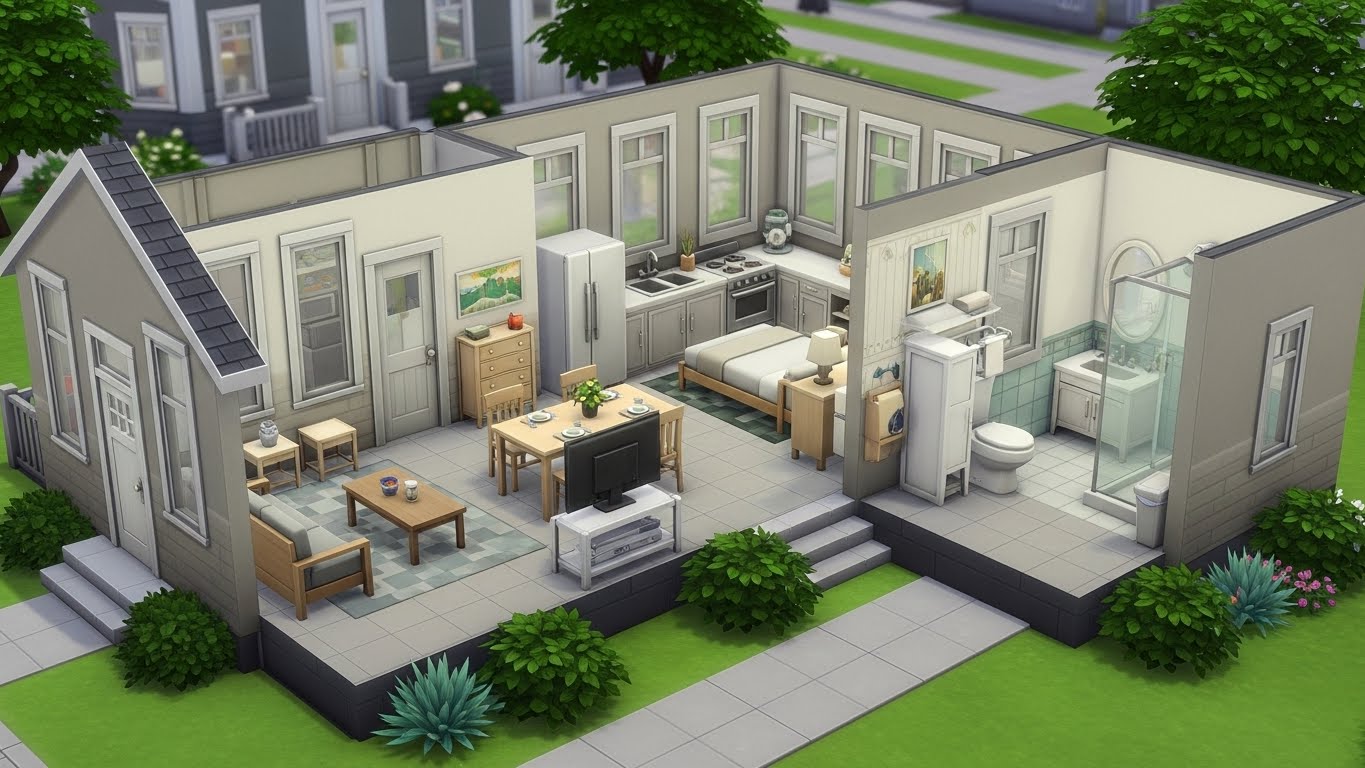
Building in The Sims 4 can feel intimidating at first. The build mode offers dozens of tools, objects, and options, and new players often don’t know where to start. Walls look uneven, rooms feel empty, and budgets disappear faster than expected.
The good news is that you don’t need advanced skills, mods, or custom content to create great-looking homes. With the right approach, beginner builders can quickly learn how to design functional, stylish houses that work well for gameplay.
This guide is designed specifically for new and beginner players who want to understand the basics of building in The Sims 4 and gain confidence step by step.
Understanding Build Mode Basics
Before placing your first wall, it’s important to understand how Build Mode works.
Build Mode is divided into several main sections: walls and rooms, doors and windows, stairs, roofs, and furniture. Beginners often jump straight into decorating, but starting with structure will save time and money later.
Take a few minutes to explore the interface. Hover over icons, read tooltips, and experiment freely. You can always undo mistakes, so there’s no pressure to get everything right on the first try.
A helpful habit for beginners is to build slowly. Focus on one element at a time instead of trying to complete the entire house at once.
Choosing the Right Lot for Beginners
Not all lots are beginner-friendly.
If you’re new to building, start with:
- Small or medium-sized lots
- Flat terrain
- Residential neighborhoods without complicated terrain changes
Large lots may seem exciting, but they often lead to oversized houses that feel empty and unfinished. Smaller lots help you focus on layout and functionality rather than filling unnecessary space.
A 20×15 or 20×20 lot is ideal for beginner builds.
Planning Your House Layout First
One of the most common beginner mistakes is building without a plan.
Before placing furniture, decide:
- How many bedrooms you need
- Whether the house is single-story or multi-story
- Where common areas like the kitchen and living room will be
Start with a simple rectangle or square. Complex shapes can come later. Simple layouts are easier to roof, decorate, and navigate during gameplay.
Many experienced builders still rely on basic shapes because they are practical and flexible.
Using Pre-Made Rooms to Learn
Pre-made rooms are one of the most underrated tools for beginners.
Instead of building everything from scratch, browse the room catalog and place:
- Bathrooms
- Kitchens
- Bedrooms
Study how these rooms are arranged. Pay attention to object spacing, wall placement, and color coordination. Over time, you’ll naturally start replicating these ideas in your own builds.
Using pre-made rooms is not cheating — it’s learning.
Budget Management for New Builders
Simoleons disappear quickly if you’re not careful.
Beginner builders should focus on:
- Essential furniture only
- Functional objects before decorative ones
- Affordable items from the base game
Avoid filling every empty corner. Open space is not a problem — cluttering rooms often makes them feel smaller and less usable.
If you’re playing from the start of a save, budget-friendly builds will make gameplay much smoother.
Walls, Doors, and Windows Explained
Walls define the structure of your house, but doors and windows bring it to life.
When placing windows:
- Keep them aligned horizontally
- Use the same window style throughout the house
- Avoid placing windows too close to corners
Doors should match the scale of the room. Oversized doors in small rooms can look awkward, while tiny doors in large spaces feel out of place.
Consistency is more important than variety for beginner builds.
Roofing Without Stress
Roofing is often the most frustrating part for new players.
The easiest approach is to:
- Match roof shapes to your floor plan
- Use one or two roof types only
- Avoid unnecessary overlaps
Simple gabled or hipped roofs are beginner-friendly and look good on most builds. Complex roof combinations can wait until you’re more confident.
Remember: a clean, simple roof looks better than a complicated one done poorly.
Interior Design for Beginners
Interior design doesn’t require advanced skills — just balance.
Start by placing large furniture first:
- Beds
- Sofas
- Dining tables
Then add smaller objects like lamps, rugs, and plants. Rugs help define spaces, especially in open layouts.
Stick to one main color palette per room. Neutral colors with one accent color are easier to manage and rarely look bad.
Lighting is essential. Use a mix of ceiling lights and lamps to avoid dark corners.
Building for Gameplay, Not Just Looks
A beautiful house is useless if it doesn’t work during gameplay.
Always check:
- Sims can reach all objects
- Doors are not blocked
- Kitchens have enough counter space
- Bathrooms are fully functional
Playtest your build by entering Live Mode for a few minutes. Small issues are easier to fix early than after the house is fully decorated.
Gameplay-friendly builds are especially important for beginner players who want smooth progression.
Common Beginner Building Mistakes
Every new builder makes mistakes. Learning to recognize them early saves frustration.
Common issues include:
- Oversized rooms
- Too many different furniture styles
- Ignoring lighting
- Overdecorating small spaces
Mistakes are part of the learning process. Don’t delete entire builds — fix them piece by piece.
Learning by Renovation Instead of New Builds
If starting from scratch feels overwhelming, try renovating existing houses.
Renovation teaches:
- Layout optimization
- Space management
- Budget awareness
Small renovations are often easier than full builds and help you understand how good houses are structured.
Improving Your Skills Over Time
Building skills grow naturally with practice.
To improve faster:
- Rebuild the same house multiple times
- Watch how other builders structure layouts
- Experiment with one new tool per build
There’s no need to rush. Even experienced players constantly refine their style.
Confidence Is the Most Important Tool
The biggest barrier for beginner builders is not skill — it’s confidence.
Every great builder started with awkward rooms and strange layouts. The only difference is that they kept building.
Focus on progress, not perfection. With each new house, you’ll understand more about spacing, flow, and design.
Beginner builders often find it easier to start with simple renovations or compact layouts before moving on to larger projects. Exploring starter home ideas, apartment renovation builds, and small eco-friendly houses in The Sims 4 can provide practical inspiration and help develop building confidence step by step.
Final Thoughts
Building in The Sims 4 is a creative skill that anyone can learn. You don’t need mods, cheats, or expensive packs to create homes that look good and play well.
Start small. Build simple. Learn from each attempt.
Over time, Build Mode will feel less like a challenge and more like a creative playground — and that’s where the real fun begins.