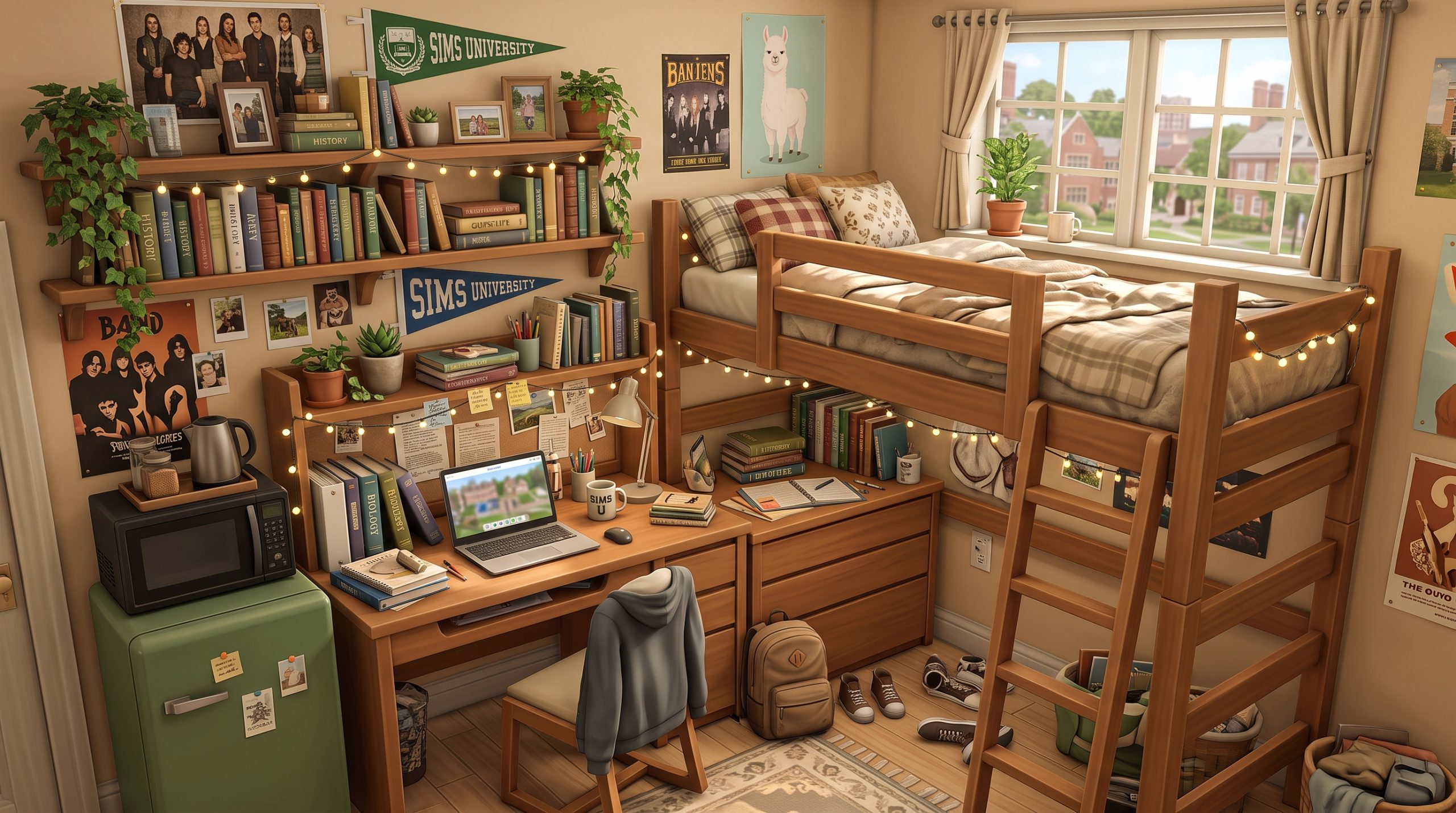
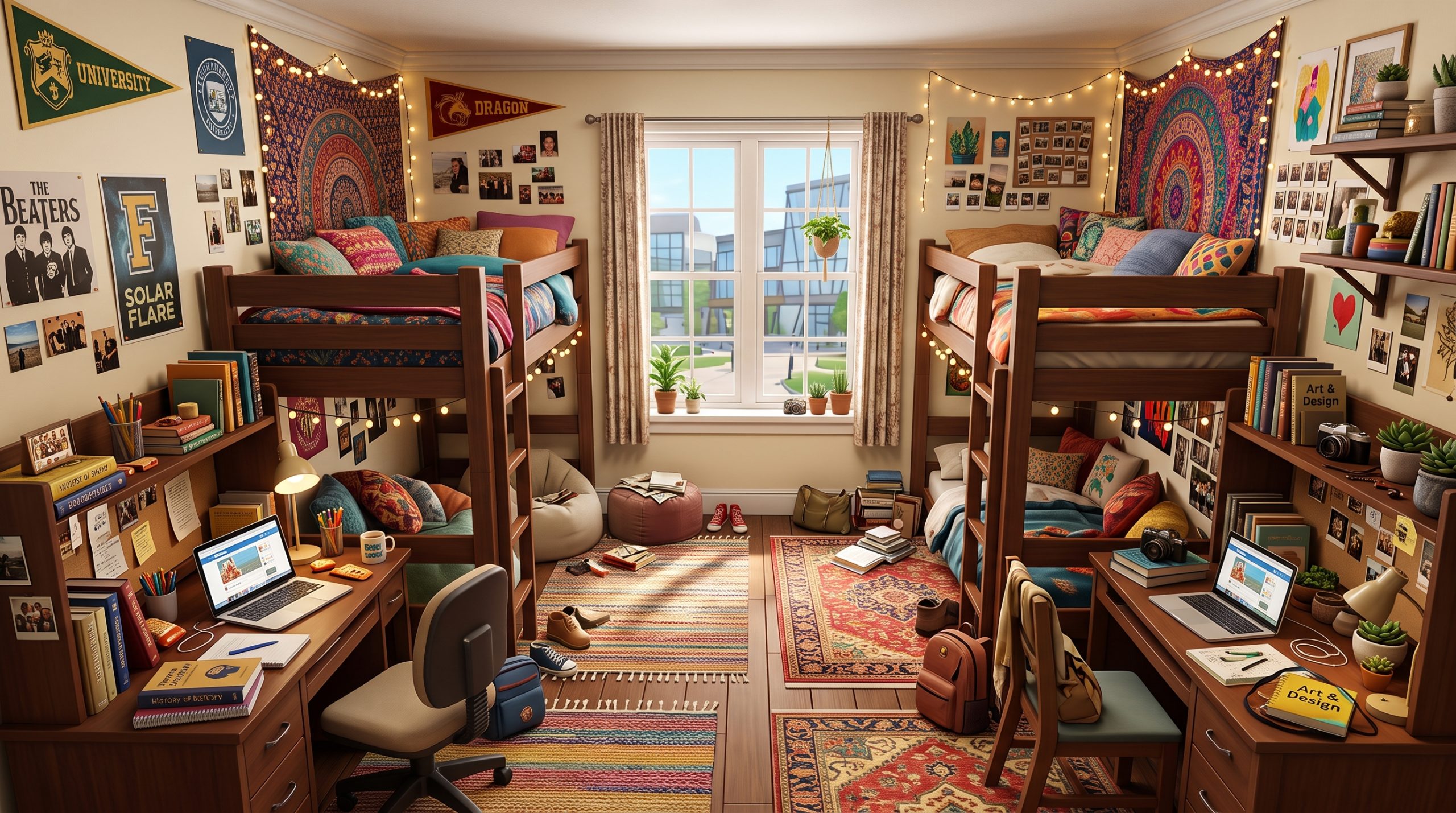
Moving into university housing in The Sims 4: Discover University is an exciting milestone for any Sim, but fitting two or more students into a cramped, prefabricated box can quickly feel overwhelming. Finding practical, stylish sims 4 shared dorm room ideas is essential if you want to create a functional space where your Sims can study, sleep, and socialise without constantly running into routing errors. Whether your Sims are attending the historic University of Britechester or the modern Foxbury Institute, managing limited floor tiles requires a strategic approach to Build/Buy mode.
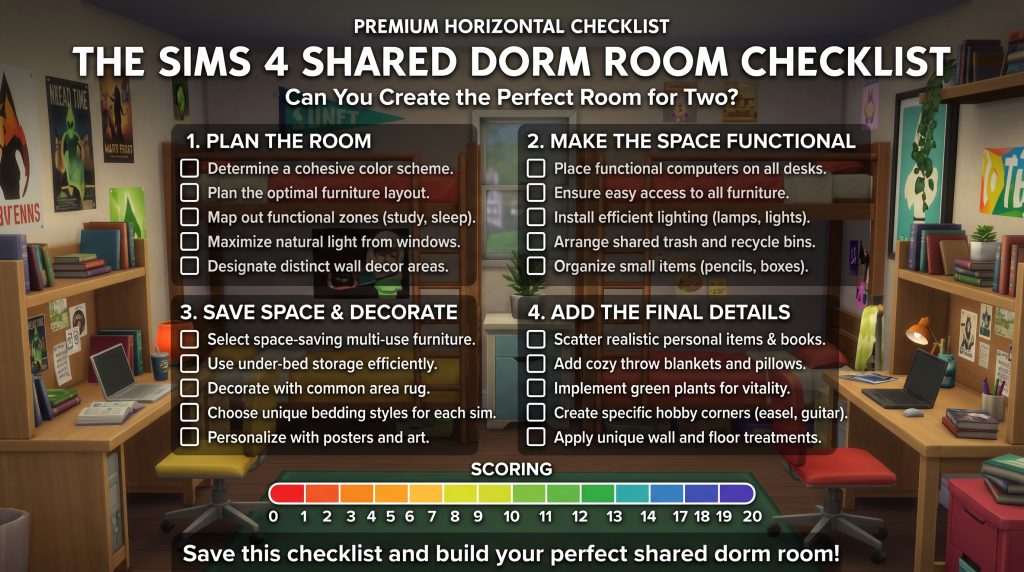
🎓 Ready to build the perfect shared dorm room?
Before you start moving furniture around, use our Shared Dorm Room Checklist to make sure you’ve covered the essentials. From bed assignments and study spaces to smart storage, lighting, clutter and routing, it gives you a quick way to check whether your room is both stylish and functional.
Scroll to the bottom to get the checklist
Decorating a shared bedroom requires balancing aesthetic personality with tight gameplay mechanics. You need enough desk space for late-night term papers, comfortable bedding for energy restoration, and clever storage solutions to keep clutter off the floor. In this guide, we will walk through space-saving layouts, budget decor strategies, functional zone division, and essential cheats to transform any claustrophobic university housing into a cozy home away from home.
Create a More Organized Shared Dorm Room
Sharing a small room becomes much easier when every item has its own place. Compact organizers, small storage boxes, desk accessories, and space-saving solutions can help keep a shared bedroom feeling clean without taking up valuable floor space.
You can recreate the same practical feeling in a real dorm room by choosing a few simple pieces that combine storage and style.
SHOP SHARED DORM ROOM ESSENTIALS
Essential Rules for Designing Shared Dorm Rooms in The Sims 4
Before diving into wallpaper swatches and decorative items, you must understand the underlying rules of building inside university housing. Dormitories in The Sims 4 operate differently from standard residential lots. Space is severely restricted, and routing issues can cause Sims to get stuck or throw cancellation loops when trying to perform basic actions.
Pathfinding and Routing Clearance
The single most common mistake players make when designing dorm rooms is over-cluttering floor space. Sims require clear pathfinding routes to interact with objects. Always leave at least one full empty grid tile in front of desks, chairs, wardrobes, and doors. For beds, ensure there is at least a half-tile clearance on the side your Sim enters from.
Diagonal object placement can look stylish, but it often confuses the game’s pathfinding code in small spaces. Stick to straight, grid-aligned furniture placements for essential items like beds and desks. If you want to learn more about optimizing space across different lot types, check out our comprehensive Sims 4 interior design guide.
Essential Functional Objects
Every shared dorm room must fulfill basic gameplay needs to keep your Sims’ motives green during tough exam weeks. When planning your layout, make sure to include these essential items:
- Single Beds: High-comfort, high-energy single beds (or loft/bunk combinations) are vital for short sleeping cycles.
- Study Desks and Chairs: Each student needs access to a computer desk or laptop station to write papers and complete homework.
- Task Lighting: Standard ceiling lights in dorms are often dim; adding desk lamps gives Sims positive moodlets while studying.
- Storage Solutions: Wardrobes or dressers allow Sims to plan outfits, which is crucial for attending university events in proper attire.
- Personal Bookcases: While common rooms have libraries, keeping a small bookshelf or stack of books in the room allows quick access to skill textbooks.
Upgrade a Shared Dorm Study Space
When two students share one room, a well-organized study area can make a huge difference. A compact desk organizer, cable holder, small desk lamp, and simple storage accessories can keep each student’s workspace functional without making the room feel crowded.
Choose small items that can stay on the desk or attach to the wall so that valuable floor space remains open.
Bed Assignment Mechanics
Once you set up a shared room, bed ownership becomes a major concern. Without assigned beds, NPC roommates will constantly sleep in your Sim’s bed, leaving your Sim exhausted when night falls. To lock down your layout, click on a bed in Live Mode, select Assign Bed, and assign specific single beds to your household Sims. This ensures your custom layout remains functional throughout the academic term.
Maximizing Space: Loft and Bunk Bed Layout Ideas
When horizontal floor space is severely limited, verticality is your best friend. Incorporating creative sims 4 bunk bed dorm ideas allows you to effectively double the usable square footage of a small room without expanding the exterior walls.
Desk Under Loft Bed Combinations
The update that brought bunk beds and loft beds to The Sims 4 revolutionized tiny builds. By elevating a single bed on a loft frame, you open up two entire grid tiles beneath it. This empty footprint is the perfect spot for a study nook.
Place a standard 2×1 desk directly under the top bunk, add a sleek office chair, and place a small desktop lamp. Your Sim can now study, use their laptop, and take naps within the exact same two-tile grid signature. This approach works exceptionally well in symmetrical room layouts where two roommates share a rectangular space.
Double Bunk Wall Setup
If you are housing four Sims in a single larger room—or simply want to create maximum floor space for activity objects like easels or guitars—aligning bunk beds along a single wall is the ultimate space-saving tactic.
You can create an split-level look by placing two bunk bed units side by side, separated by a thin wall divider or a tall narrow bookshelf. Alternatively, an “L-shaped” bunk configuration in the corner of the room frees up the entire central floor area for beanbags, rugs, and shared entertainment items. If you enjoy building efficient housing, you might also like exploring our collection of sims 4 small dorm room builds.
Utilizing Vertical Space with Wall Shelving
Floor tiles are precious, but wall space is completely free. Instead of using floor-standing bookcases or wide dressers, opt for wall-mounted shelving units. Stack floating shelves above desks to hold textbooks, potted plants, alarm clocks, and decorative knick-knacks.
Wall pegs for backpacks and jackets, hung near the entrance door, add real-life immersion while keeping the floor completely open for pathfinding. You can also place wall-mounted TVs or bulletin boards directly above lofts to maximize visual interest without clogging walking paths.
Cozy and Aesthetic Shared Bedroom Designs for College Sims
Functionality is only half the battle; your dorm room should also feel inviting and aesthetic. Bringing natural warmth into grey, industrial university housing design can significantly improve the visual quality of your overall gameplay experience.
Matching Color Palettes vs. Personality Clashing
There are two primary aesthetic directions you can take when planning sims 4 roommate bedroom decor:
- The Coordinated Look: Choose a cohesive dual-color scheme (such as sage green and warm cream, or navy blue and dusty rose). Use matching bedframes, but select different bedding swatches within that shared palette. This creates a balanced, curated look suitable for close friends or organized students.
- The Personality Clash: Build contrast by giving each side of the room a distinct personality. One roommate’s side might feature neon posters, messy clutter, and bold vibrant tones for an artsy Sim, while the other side features clean lines, pastel tones, and neatly stacked books for a computer science major.
Layering Lighting for Warmth
Standard university overhead lights tend to produce harsh, sterile illumination. To give the room a cozy atmosphere, layer your light sources. Place string lights above the bedframes, position warm-toned desk lamps on study surfaces, and place a small floor lamp in the corner of the room.
In Live Mode, you can click on any light fixture, choose Set Color and Intensity, and change the light output to a soft orange or warm white tone. Reducing the intensity to around 50% instantly makes small spaces feel softer and more lived-in.
Textures and Textiles
Rugs are essential for anchoring individual zones within a shared space. Placing a large, soft patterned rug in the center of the room ties furniture pieces together. Alternatively, placing two smaller, distinct accent rugs under each bed helps define personal territory.
Combine soft rugs with textured wall tapestries, throw blankets, and curtains to soften the plain drywall look of university housing. Utilizing items from packs like High School Years, Parenthood, or the Everyday Clutter Kit adds realistic textures that make the dorm feel truly inhabited.
Budget-Friendly Decor Strategies for University Housing
When playing without financial cheats, your Sims often start university with limited funds. Implementing smart, budget-conscious **sims 4 shared dorm room ideas** allows you to design stylish environments without burning through all your Simoleons.
Smart Use of Base Game and Free Pack Items
You don’t need every expansion pack to build a great dorm. Base Game offers several minimalist furniture options that fit perfectly into modern or vintage college aesthetics. The key is picking sleek, simple frames that don’t look overly bulky.
Items like simple metal desk frames, basic wooden single beds, and plain plastic chairs are cheap to purchase and easy to customize with different color swatches. Pair simple base-game beds with colorful wall art to elevate low-cost furniture seamlessly.
Clutter Kits and Custom Content Integration
Small decorative items are inexpensive in Build Mode but make a dramatic visual impact. Adding small objects like coffee mugs, open textbooks, laptop chargers, and snack wrappers makes the space look authentically lived-in. For players who enjoy organizing tiny decorative details, exploring the best Sims 4 clutter packs offers endless inspiration for adding depth to student spaces.
| Decor Category | Recommended Pack / Item | Visual Impact & Function |
|---|---|---|
| Wall Clutter | Discover University Corkboards | High impact; adds post-it notes, photos, and academic flair. |
| Desk Clutter | Everyday Clutter Kit Pen Pots & Mugs | Medium impact; fills empty desk slots affordably. |
| Floor Decor | Base Game Stack of Books / Laundry Basket | High impact; creates a realistic, lived-in student bedroom look. |
| Lighting | Parental / High School String Lights | High impact; provides warm ambient lighting over beds. |
Wall Decor on a Budget
Filling empty walls with expensive paintings quickly drains your Sim’s bank account. Instead, use photo frames and budget-friendly wall prints. If your Sim has a smartphone or camera, take photographs of their college friends, campus landmarks, or roomies, then frame and hang them on the wall.
This approach costs virtually nothing in-game, increases the cozy aesthetic, and gives your Sim positive emotional moodlets whenever they look at memories of their university experience.
Dividing Space: Creating Distinct Zones for Two Roommates
When two Sims share a single room, creating personal boundaries is crucial for visual balance and roleplay storytelling. Establishing a clean sims 4 discover university dorm layout requires thoughtful spatial division.
Room Dividers and Open Bookcases
You don’t need solid drywall to divide a room. Using physical furniture items as room dividers creates privacy while allowing natural light to flow across the space.
Open-backed bookcases (shelving units you can see through) work exceptionally well. Place a tall open bookshelf perpendicular to the wall, running down the middle of the room between the two bed setups. This acts as a visual partition, gives both roommates storage space, and preserves room aesthetics without requiring full walls.
Color-Coded Roommate Sides
A classic layout technique for dorm rooms is symmetrical color coding. Mirror the furniture layout on both sides of the room, but use contrasting color palettes for each side’s soft furnishings.
For example, configure both sides with identical loft beds and desks, but make the left side strictly emerald green and brass, while the right side uses deep plum and silver. This clearly demarcates who owns which side of the room while maintaining architectural symmetry.
Shared Common Area vs. Private Study Corners
If your shared dorm room is wide enough, consider grouping sleeping units together and keeping study zones separate, or vice versa. Positioning desks so they face away from each other—facing opposite walls—minimizes visual clutter and gives each student a dedicated study bubble.
In the central area between the two zones, set up a small shared lounge space consisting of a rug, two poufs or accent chairs, and a small coffee table. This gives roommates a place to hang out together without sitting on each other’s beds.
How to Customize Uneditable University Dorms with Cheats
When your Sim moves into official university housing, The Sims 4 locks Build/Buy mode by default. You cannot buy new furniture, change wallpapers, or modify room layouts directly. Fortunately, using simple developer cheats gives you full creative freedom over your university housing design.
Enabling Build Mode in Restricted Dorms
To bypass the lot restrictions placed on dormitories, follow these steps to enable full editing privileges:
- Press
Ctrl + Shift + C(or hold all four shoulder buttons on console) to open the cheat console. - Type
testingcheats trueand press Enter. - Type
bb.enablefreebuildand press Enter. - Close the cheat console by pressing
Escor entering the shortcut key again.
You will notice that the grayed-out Build/Buy icon in the top right corner is now fully accessible. You can now delete existing dorm furniture, change wall positions, replace flooring, and build your ideal custom setup. To explore career paths related to your college Sims, take a look at our guide on Sims 4 university degrees guide.
Placement Tricks with MoveObjects and Tool Mod
To maximize space in tight dorm rooms, standard grid placement can feel too restrictive. Enabling the move objects cheat opens up advanced decorating capabilities:
Open the console and enter bb.moveobjects on. This allows you to overlap items slightly without the game blocking your placement. Use this cheat to slide desks closely against lofts, cluster wall clutter tightly together, or overlap rugs for a layered look.
Key shortcuts for advanced placement include:
- Smooth Rotation: Hold the
ALTkey while rotating an object with your mouse for 360-degree precision control. - Height Adjustment: Select an object, hold
ALT, and press9to raise its height or0to lower it. This is perfect for placing clutter on non-standard surfaces or shelves. - Resizing Objects: Use the
[and]bracket keys to shrink or enlarge decor items like plants, rugs, and posters.
Always test your layout in Live Mode after using placement cheats. Direct your Sim to sit on chairs, use computers, and sleep in beds to make sure non-standard object placement hasn’t blocked vital pathfinding routes.
FAQ
How do you assign specific beds to roommates in The Sims 4?
To assign a bed, enter Live Mode with your active Sim. Click on the bed mattress or frame you want to assign, select the “Assign Bed…” option from the interaction menu, and choose the specific Sim from the household list. Once assigned, NPC roommates will no longer claim that bed.
What is the cheat code to edit dorm rooms in The Sims 4?
To edit uneditable dorm rooms, open the cheat console (Ctrl + Shift + C), activate cheats by typing testingcheats true, and then enter bb.enablefreebuild. This unlocks standard Build/Buy mode functionality on locked university lots.
Can two Sims share a bed in a university dorm room?
Double beds can be placed in dorm rooms using the bb.enablefreebuild cheat. However, for two Sims to share a double bed, they must have a high romantic relationship status. For non-romantic roommates, using two separate single beds, bunk beds, or loft beds is required.
How do you add more storage to a small shared dorm room?
You can maximize storage in small rooms by utilizing vertical wall space. Install wall-mounted shelves, hanging coat racks, and wall organizers above desks and beds. Replacing standard beds with elevated loft beds allows you to place dressers, wardrobes, or study desks directly beneath the sleeping area.
Conclusion
Designing a comfortable, stylish college room doesn’t require sacrificing functionality or dealing with endless routing errors. By leveraging vertical loft setups, clever visual partitions, layered warm lighting, and essential build cheats, you can transform cramped university housing into a cozy, highly efficient home for your students. Experimenting with different color schemes and clutter configurations allows you to reflect your Sims’ distinct personalities while keeping their study habits sharp. Apply these creative **sims 4 shared dorm room ideas** in your next university playthrough to create the ultimate campus living experience for your Sims.