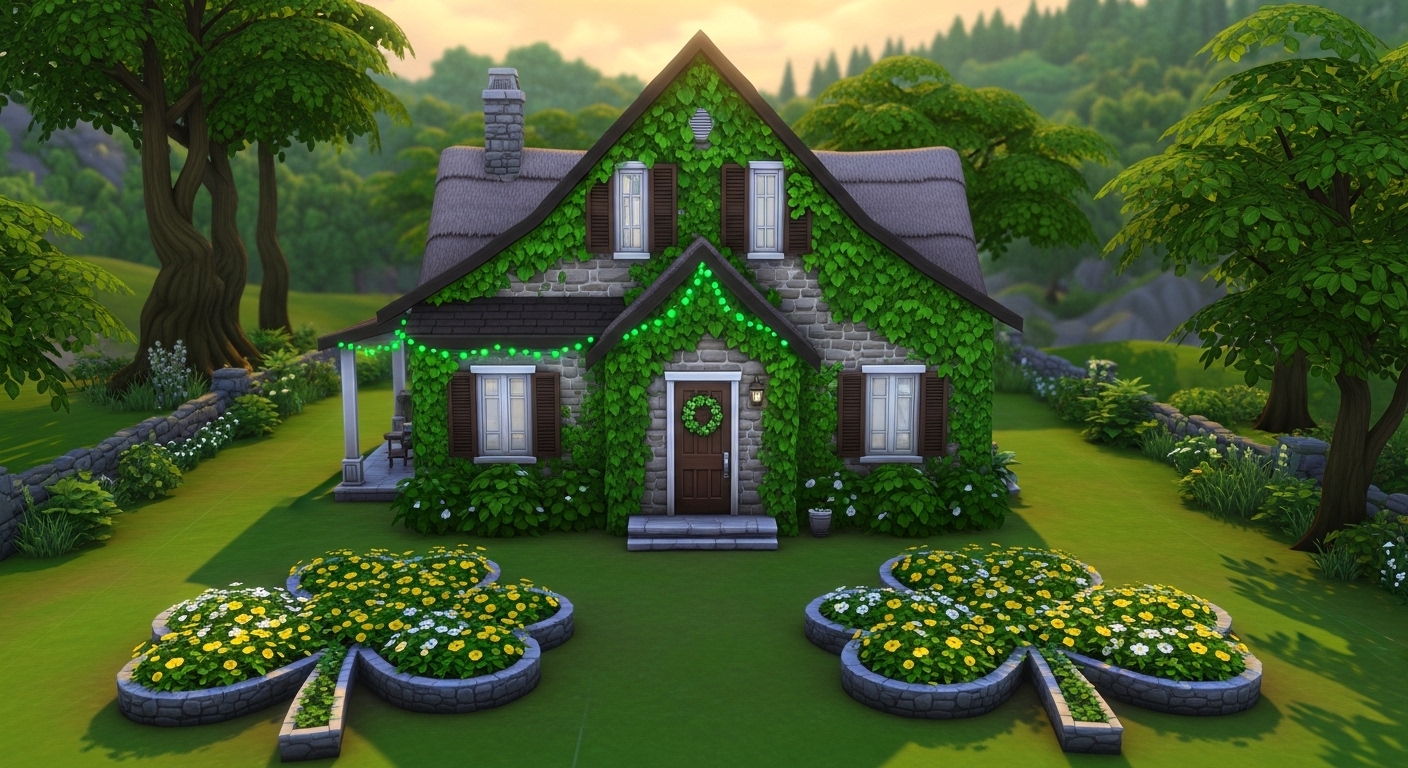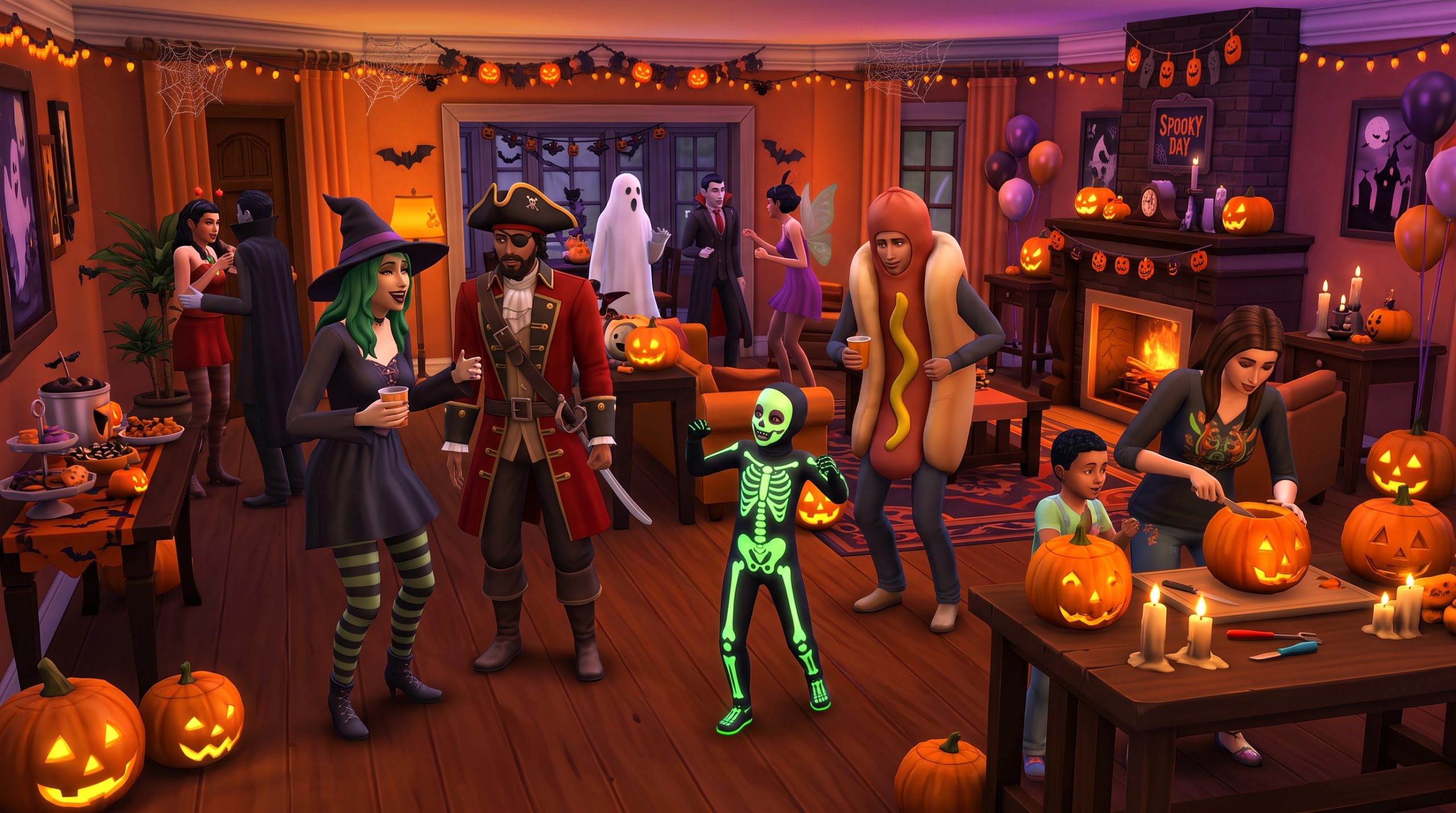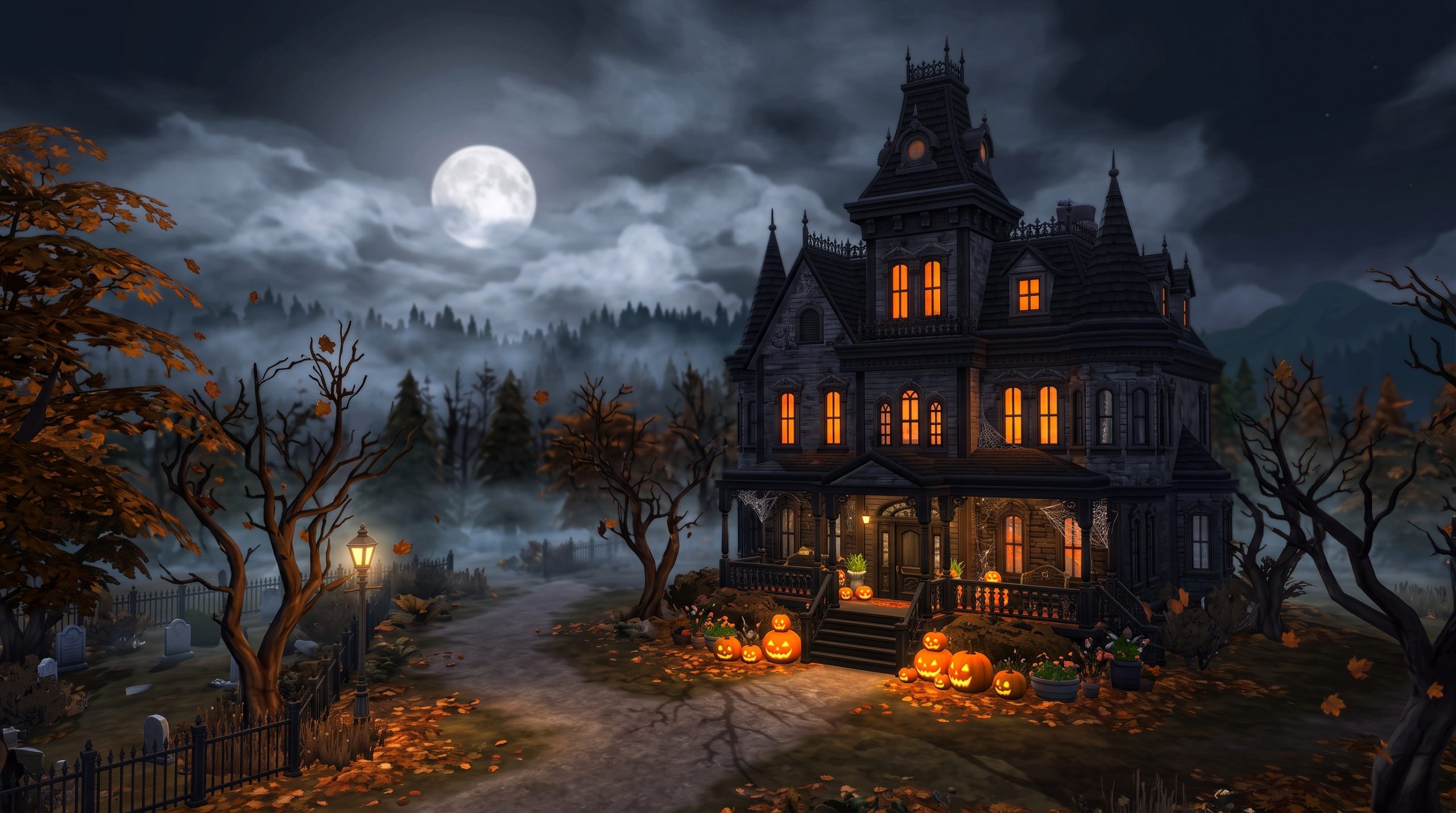

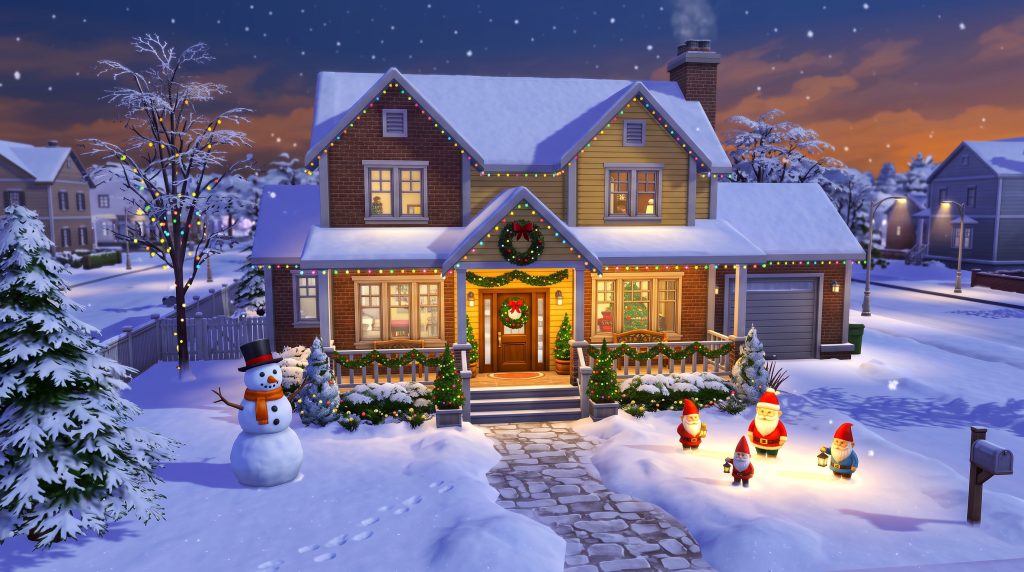
Transforming your virtual neighborhood for the holidays is one of the most satisfying projects in the game, especially when you master using sims 4 outdoor holiday decorations to capture seasonal cheer. Whether you are preparing a cozy Willow Creek suburban home for Winterfest or dressing up a forgotten Forgotten Hollow estate for Spooky Day, curating exterior decor adds unmatched realism and charm to your gameplay. From stringing up bright trim lights along the rooflines to setting up elaborate lawn displays, knowing how to leverage Build Mode tools and pack items will instantly elevate your street view.
Getting Started: Essential Sims 4 Packs for Holiday Decorating
While you can create basic seasonal setups with base game content, specific expansion packs, game packs, and stuff packs offer dedicated items that make exterior styling significantly easier and more varied. Understanding what each pack brings to your build catalog helps you plan your outdoor designs effectively.
The Core of Festive Builds: The Sims 4 Seasons Expansion Pack
The The Sims 4 Seasons expansion pack is the ultimate requirement for players who want a complete, dynamic holiday experience. This pack introduces real weather, dynamic calendar events, and most importantly, the functional holiday decoration system. Without Seasons, exterior decorations are purely static objects. With it, your homes actively react to holidays with dynamic roof lights, custom holiday traditions, and seasonal foliage transitions.
Seasons provides essential exterior objects including:
- The Attic Stack Decoration Box (the central hub for roof lights and family holiday prep).
- Seasonal wreaths for front doors and gates.
- Interactive lawn items like the snow carving station and holiday gnomes.
- Dynamic string lighting that automatically turns on during active holidays.
Free Stuff and Additional Packs for Holiday Flair
You do not need to rely solely on expansion packs to decorate your yard. Several other packs contain fantastic complementary assets:
- Holiday Celebration Pack: A completely free DLC downloadable through EA App or your platform store. It contains classic Christmas trees, lawn ornaments, illuminated snowflakes, wall garlands, kinara, menorahs, and decorative lawn gnomes.
- Spooky Stuff: Essential for Autumn and Spooky Day outdoor builds. It includes carved jack-o’-lanterns, spiderweb wall overlays, hanging lanterns, eerie fog mats, and festive candy bowls.
- Backyard Stuff & Patio Stuff: Excellent for warm-weather holidays or cozy winter patios. They provide hanging fairy lights, wind chimes, outdoor fire pits, and umbrella dining tables that can be decked out with holiday garlands.
- Cottage Living: Perfect for rustic, storybook holiday styling. It offers rustic wooden fences, mossy stonework, cozy porch benches, and natural plant pots that blend seamlessly into winter wonderland themes.
How to Add Festive Roof Lights Using the Attic Stack Decoration Box
Learning sims 4 how to put up roof lights is a rite of passage for every builder in the game. Unlike standard wall lamps or ceiling fixtures, roof lights in The Sims 4 operate through a specialized mechanic attached to a specific gameplay object.
Locating and Placing the Attic Stack Decoration Box
To put up roof lights, you must first place the Attic Stack Decoration Box on your lot. You can find this item in Build Mode under the Outdoor Activities or Decorations (Miscellaneous) categories. It looks like a stack of cardboard storage boxes full of holiday trinkets.
For realistic gameplay, place the decoration box in logical outdoor or accessible areas such as:
- Inside an attached garage or backyard storage shed.
- On the front porch tucked neatly beside a bench.
- In an actual attic or basement utility room.
Customizing Roof Trim Lights and Banners in Live Mode
Once the box is placed on your lot, switch to Live Mode with an active Sim. Click on the Attic Stack Decoration Box to open the interaction menu. Select “Custom Decorate” or “Put Up Holiday Decorations”. From this menu, you can select specific options for your roof eaves and fence trimmings:
- Trimming Styles: Choose between traditional Bulbs, modern Icicles, hanging Streamers, festive Garland, or simple Fringe.
- Color Palettes: Choose from classic Red & Green, Cool Blue & White, Warm White, Multi-Color, Spooky Orange & Purple, or Pink & Pastel.
- Location Selectors: Apply lights strictly to the roof trim, to fence railings, or both simultaneously.
If you prefer to set up your house ahead of time in Build Mode without waiting for Sims to do the animation, click on the decoration box while in Build Mode and select the preset holiday theme you prefer. The lights will render instantly across all valid roof edges.
Advanced Roof Decor Tips
To make your roof lights look visually striking, match the trim style to your home’s architecture. Victorian homes look breathtaking when paired with white icicle lights and pine garland. Modern builds benefit from crisp, uniform white bulb lights along flat roof trims. Ranch-style homes shine brightest with vibrant multi-color classic bulbs.
If your build features multiple roof levels, ensure that every roof piece has an exposed eaves edge. If a roof piece is completely flat against a wall, the game may not generate trim lights on that specific segment. Simply pull the roof overhang out by one click using the roof adjustment arrows to fix this.
Designing Front Porches and Entryways for the Holidays
Your front entryway serves as the focal point of your house build. When neighbors or visiting Sims walk up to your front door, a well-decorated porch establishes the entire holiday mood. Applying practical sims 4 holiday exterior build mode tips helps turn a plain doorway into a warm, inviting entrance.
Welcoming Wreaths, Garland, and Lighting Fixtures
The front door is the heart of your exterior decor. Start by mounting a seasonal wreath directly on the front door. If you are designing for Winterfest, select pine wreaths topped with red ribbons or frosted pinecones. For Spooky Day, choose dry twig wreaths or spider-webbed variants.
Frame the door using vertical wall garlands or climbing ivy. You can overlap wall lanterns with evergreen greenery to make the entrance glow warmly during late-night snowstorms. If the default placement height of a wreath feels too low or collides with a door window, enable placement cheats and use the 9 key to raise the item slightly up the wall for perfect alignment.
Patio and Porch Furniture Styling
Porches should feel lived-in and functional rather than decorative for display only. Combine seating with contextual seasonal clutter to build atmosphere:
- Winter Porches: Place a dark wooden bench topped with plush throw cushions, stack a pile of chopped firewood nearby, and place a decorative bucket holding ski poles or umbrella stands near the door. Add a rug beneath the bench to ground the space.
- Autumn/Halloween Porches: Arrange carved pumpkins in varying sizes along the steps leading up to the porch. Place a rocking chair with a hot cider mug on an side table and add hay bales near the railing.
- Spring/Summer Festive Porches: Set out colorful flower pots, hanging flower baskets beneath the porch overhang, and welcome mats featuring bright patterns.
Creating Festive Outdoor Yard Displays and Gardens
Moving beyond the house structure itself, the surrounding yard offers a vast canvas for seasonal creativity. Designing thoughtful sims 4 patio and yard holiday decor bridges the gap between your home and the natural landscape.
Crafting Snowmen, Inflatables, and Lawn Ornaments
If you have the Seasons expansion installed, the yard transforms dynamically when snow covers the ground. Encourage your Sims to construct snowmen in the front yard; different Sim moods result in different snowmen types, such as classic snowmen, alien snowmen, or tragic clown snowmen. These functional snow sculptures add genuine character to your winter yard layout.
For instant festive setups from Build Mode, browse the lawn decoration catalog for items like:
- Glowing plastic lawn gnomes dressed in holiday attire.
- Illuminated lawn deer and wire-frame reindeer statues.
- Decorative wooden sleds leaning against oak trees.
- Inflatable holiday figures that light up at night.
Integrating Outdoor Landscaping with Seasonal Lighting
Integrating your plant life with creative lighting setups makes your garden pop when evening falls. Wrapping tree trunks in low-voltage landscape lighting creates a cozy, magical forest effect right on your lot. Placing small stake lights along your garden paths guides visiting Sims safely through the snow or dark Autumn nights.
When selecting sims 4 outdoor christmas decorations, combine non-electric elements with lighting. For instance, place stone birdbaths topped with frozen water, surrounded by red poinsettia pots and uplights aimed up toward the house façade. This dynamic contrast between bright warm lighting and cool natural textures creates stunning screenshots and immersive gameplay views.
Do not forget the power of terrain tools. In Build Mode, use soft brown, gray, or white terrain paint underneath lawn statues to simulate worn footpaths, melted snow patches, or piles of fallen autumn leaves surrounding your outdoor displays.
Build Mode Cheats to Enhance Outdoor Holiday Styling
The standard Build Mode grid can sometimes feel restrictive when you want to create dense, custom holiday displays. By unlocking the game’s built-in developer cheats, you gain total freedom over object placement, scale, and item availability.
Unlocking Debug Items with Cheats
The game contains hundreds of hidden environmental objects used by developers to build the open-world neighborhoods. These items include unique holiday lights, street decor, outdoor props, and seasonal clutter that are not visible in the standard buy catalog.
To access these items, open the cheat console by pressing Ctrl + Shift + C (or holding all four shoulder buttons on consoles) and enter the following commands in sequence:
testingcheats truebb.showhiddenobjectsbb.showliveeditobjects
After entering these commands, navigate to the search bar in Build Mode and type “Debug”. Click on one of the debug listings to view thousands of extra props. You will find public square holiday trees, festival food stalls, street lanterns wrapped in ribbons, and floating leaf or snow effects.
Precision Object Placement with Moveobjects and Controls
To break free from grid limitations and create dense, custom arrangements, enable the free-placement cheat by typing bb.moveobjects on into the cheat console.
With this cheat active, you can leverage essential shortcut keys to customize your exterior decor:
- Free Rotation: Hold the Alt key while clicking and dragging an item to rotate it smoothly at any angle, removing the stiff 45-degree snap.
- Free Placement: Hold the Alt key while moving an item to place it anywhere without snapping to floor tiles.
- Resizing Objects: Select an object and press the ] key to enlarge it or the [ key to shrink it. This is ideal for turning small table ornaments into giant lawn displays or scaling down oversized wreaths.
- Vertical Elevation: Select an object and press 9 to raise it in the air or 0 to lower it. This allows you to float lanterns from tree branches, hang garlands along custom porch pillars, or place presents precisely inside decorative sleighs.
Seasonal Exterior Decorating Ideas for Spooky Day and Winterfest
Decorating outdoors changes dramatically depending on which holiday you are celebrating. Creating distinct looks for different times of the year keeps your save files fresh and entertaining.
Terrifying Exterior Themes for Spooky Day
When Autumn arrives and Spooky Day approaches on the calendar, turn your front yard into an eerie haunt. Swap out warm porch lighting for green, purple, or deep orange bulbs by clicking on light fixtures in Live Mode and setting custom colors.
Combine the following elements for a spooky look:
- Cover porch railings and roof corners with cobweb wall decals from the Spooky Stuff pack.
- Place gravestones and cracked stone urns scattered loosely across dead or yellowed lawn grass.
- Set up carved jack-o’-lanterns with varying facial expressions along your porch steps and front walkways.
- Use the debug fog emitter mat to spawn low-lying mist across your front lawn.
Cozy Winterfest Wonderland Aesthetics
For Winterfest, focus on warmth, pine greenery, and crisp light choices. If you prefer traditional styling, stick to deep greens, rich reds, and warm white outdoor lights. If your home has a contemporary design, lean into frosted silver, cool icy blue, and crisp clear white aesthetics.
Consider setting up an outdoor living space tailored for cold weather. Place an outdoor stone fireplace or metal fire pit in the backyard surrounded by wooden log benches draped in cozy blankets. Add a hot drink tray nearby so your Sims can sip hot cocoa while enjoying their illuminated yard. Position a giant illuminated holiday tree near large front windows so the festive glow shines through to the outside walkway.
Frequently Asked Questions
How do you put holiday lights on the roof in The Sims 4?
To add holiday lights to your roof, place the Attic Stack Decoration Box on your lot (found in Build Mode under Outdoor Activities). In Live Mode, click the box with an active Sim and choose “Select Holiday Decorations.” From there, select your preferred roof trim style (bulbs, icicles, garland) and color scheme. Alternatively, click the box in Build Mode to set up preset holiday trimmings instantly without Sim interaction.
Can you decorate the outside of a house in The Sims 4 without the Seasons expansion?
Yes, you can decorate exterior areas without Seasons by using items from the free Holiday Celebration Pack, base game objects, or other packs like Spooky Stuff and Backyard Stuff. However, dynamic automated roof lights, seasonal weather changes, and calendar holiday triggers are exclusive features of the The Sims 4 Seasons expansion pack.
How do I unlock hidden holiday decorations using cheats?
Open the cheat console (Ctrl + Shift + C), type testingcheats true, then enter bb.showhiddenobjects and bb.showliveeditobjects. Type “Debug” in the Build Mode search bar to access hundreds of hidden world assets, including street festival props, custom holiday lighting, and event items.
Why are my holiday roof lights not showing up in live mode?
Roof lights generally display only when a holiday with the “Decorate” tradition is active on your calendar, or if you manually enable them using the Attic Stack Decoration Box. Additionally, ensure your roof pieces have visible eaves (overhangs); if a roof wall sits perfectly flush against the building structure without an overhang, roof lights cannot attach properly. Pull the roof handles outward slightly to reveal the trim.
Conclusion
Mastering the art of exterior styling brings incredible life, realism, and seasonal atmosphere to your game. By combining essential expansion packs, taking full advantage of the Attic Stack Decoration Box, and leveraging Build Mode placement cheats, you can transform any simple lot into a neighborhood highlight. Whether you prefer subtle pine garlands along your porch railings or giant glowing lawn displays, using creative sims 4 outdoor holiday decorations allows you to celebrate every season in style. Gather your favorite items, enable your placement tools, and build an unforgettable festive home for your Sims today.