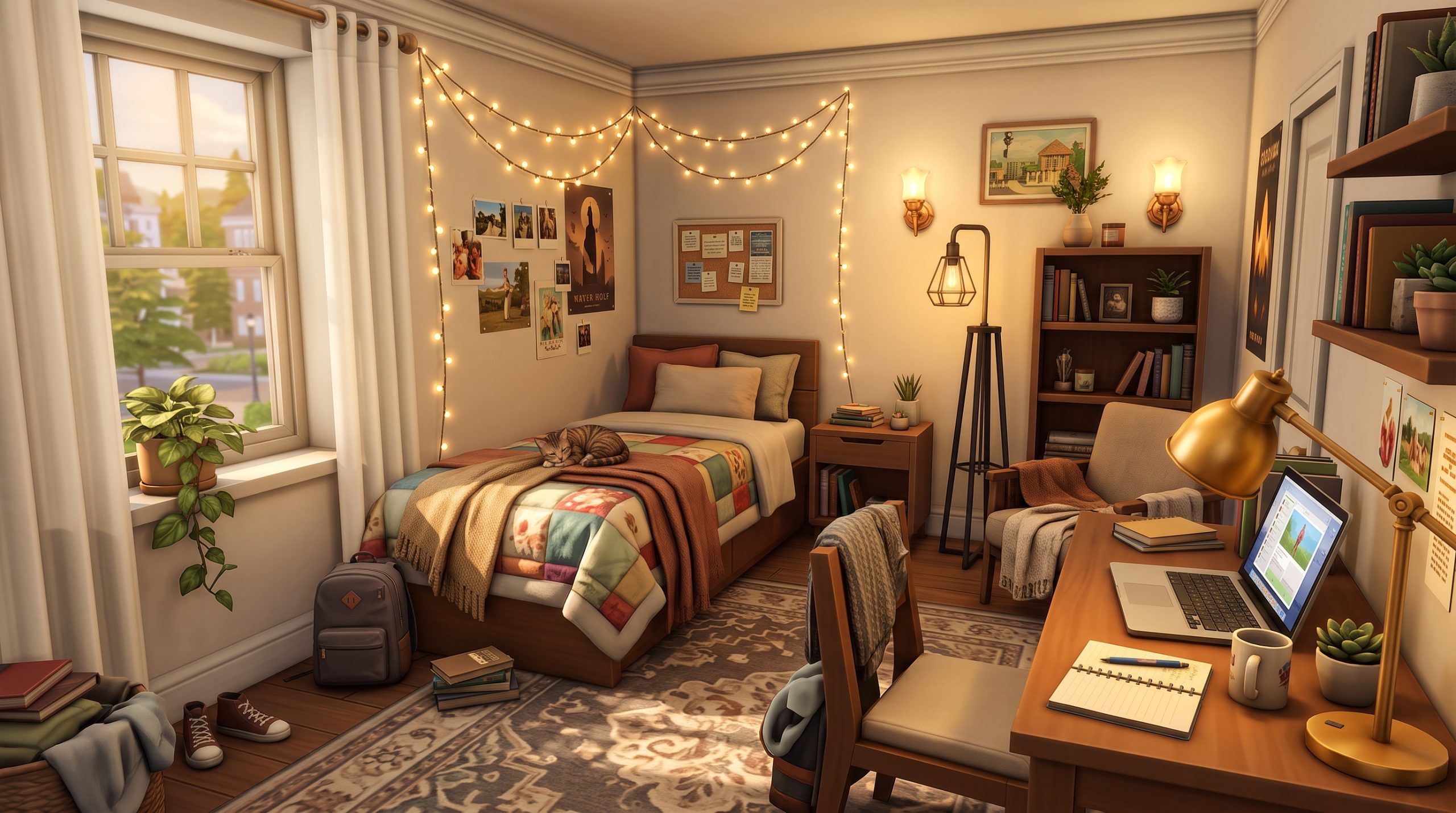
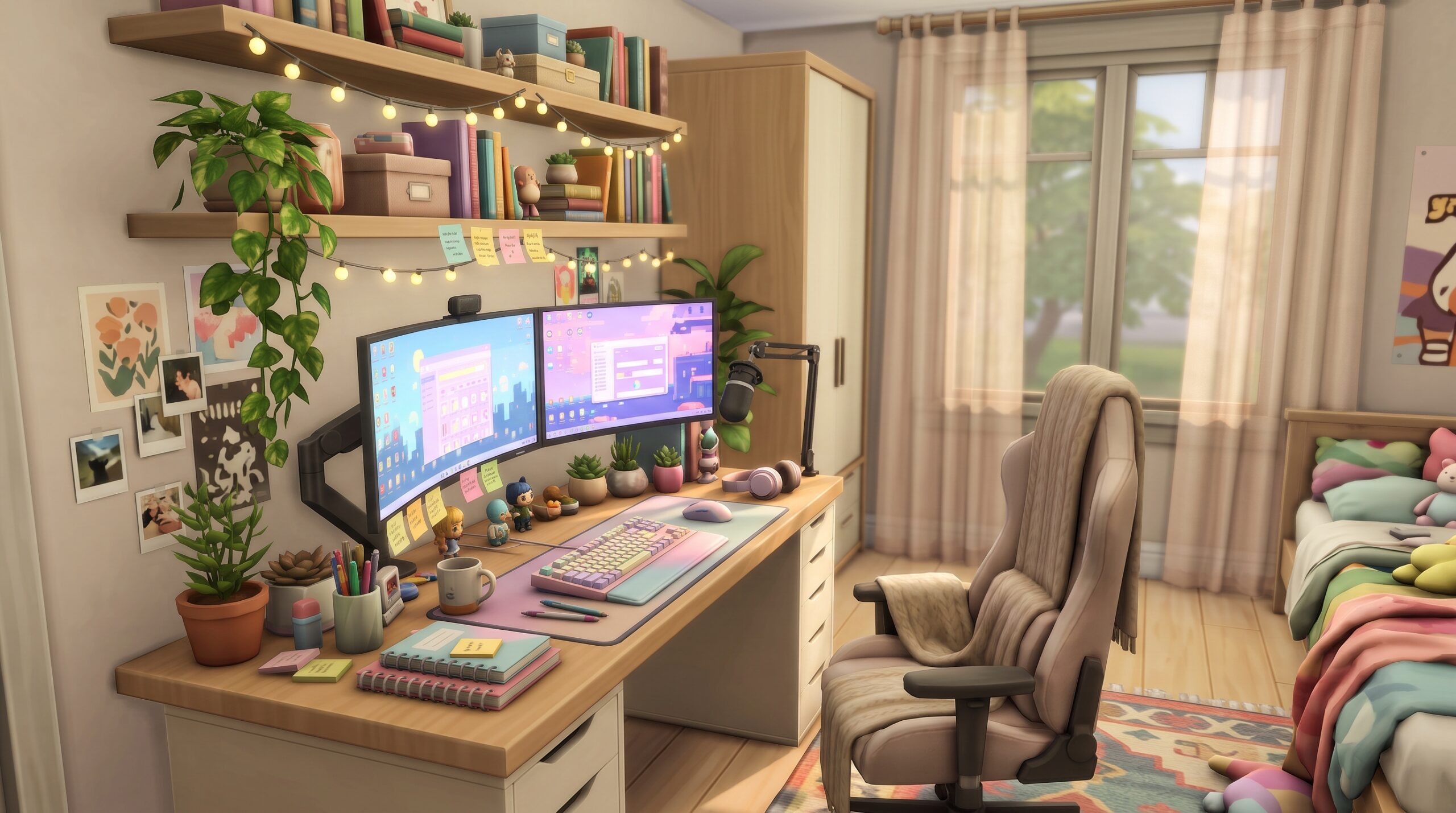
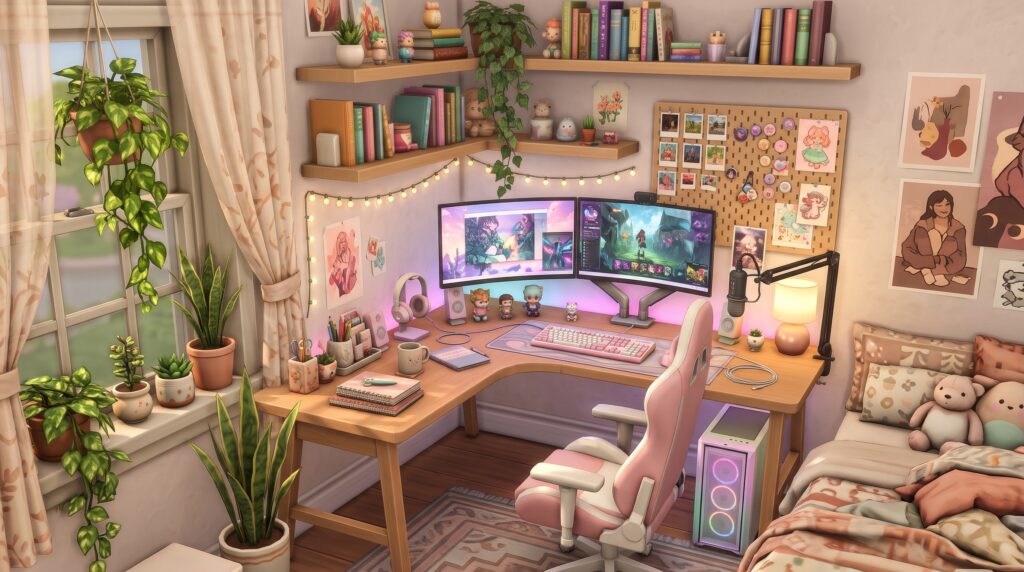
Finding inspiration for your digital homes often starts on visual platforms like Pinterest and Simblr, where simmer builders share breathtaking screenshots of detailed study spaces. If you are looking for fresh Sims 4 Tumblr desk setup ideas, you have likely noticed how build styles have evolved over the years. Modern simmers prioritize cozy lighting, intricate clutter layering, realistic technology rigs, and hyper-personalized decorative accents. Whether your Sim is a hard-working Discover University student, a full-time Twitch-style streamer, or an artist working from home, crafting a realistic workspace transforms the entire feel of your build.
Top Aesthetic Tumblr Desk Setups for The Sims 4 in 2026
The aesthetic landscape in the simmer community constantly shifts, but certain core interior design trends continue to dominate Tumblr feeds. As we look at Sims 4 aesthetic room ideas 2026, workspaces have moved far beyond a standard desk with a single laptop. Simmers now build immersive, story-driven corners that reveal who the Sim is the moment you glance at their room.
The Soft Cottagecore Corner
The cottagecore aesthetic remains a staple in the custom content community. A soft, rustic study nook features warm wood tones, distressed painted finishes, and an abundance of leafy houseplants hanging above or sitting alongside vintage books.
To achieve this look, pair a reclaimed wood desk with woven rattan chairs, terracotta pots, stacked leather journals, and dried botanical hangings. Soft floral wallpaper and sunlight streaming through sheer curtains complete the warm, lived-in feel. CC creators like Pierisim and Harrie frequently produce furniture packs that fit this natural, grounded look perfectly.
Modern Cyberpunk and RGB Streaming Hub
For tech-obsessed Sims or gaming influencers, the cyberpunk aesthetic offers high energy and bold visual contrast. This build style uses dark walls, exposed brick, or slate acoustic wall paneling to make vibrant LED lighting pop.
Key elements of this setup include dual curved monitors, glowing pc towers with visible liquid cooling tubes, RGB light strips under desk edges, and wall-mounted pegboards holding controllers and headsets. Dark walnut or matte black surfaces ground the glowing lights, creating an atmospheric, futuristic streaming cave.
Warm Light Academia Nook
Drawing from classical architecture, literature, and vintage study halls, the Light Academia aesthetic focuses on muted beige, cream, espresso, and brass tones. It is ideal for scholarly Sims who spend hours writing research papers or studying history.
Start with a solid dark oak or mahogany Sims 4 custom content computer desk with carved drawer details. Layer the workspace with brass desk lamps, scattered parchment papers, leather-bound books stacked high, vintage globes, and half-empty coffee cups. Adding framed botanical prints or classical art above the desk enhances the scholarly mood.
Plant-Filled Botanical Sanctuary
Biophilic interior design—bringing nature into working environments—is one of the most prominent build trends. This setup treats plants not just as quick decorations, but as the main feature of the workspace.
Utilize light maple desks surrounded by terrariums, trailing ivy on floating shelves, small succulents cluttering the desk corners, and large fiddle-leaf figs beside the seating area. Combining light wood, white metal frames, and vibrant green foliage makes the workspace feel fresh, serene, and deeply relaxing for your Sims.
Cozy and Minimalist Sims 4 Study Spaces
Not every desk needs to be covered in dozens of items to look aesthetic. Minimalist builds focus on clean lines, intentional placement, and functional elegance while maintaining that desired cozy vibe.
Neutral Tones and Scandinavian Design
Scandinavian design principles emphasize simplicity, functionality, and light colors. Using a palette dominated by off-whites, warm greys, light oak, and soft taupe helps create an open, uncluttered study area.
Select a sleek Sims 4 aesthetic CC desk featuring slim wooden legs and integrated drawers. Keep surface decorations selective: an ultra-thin laptop, a minimalist ceramic vase with dried pampas grass, an aesthetic desk mat, and a single sleek task light. The goal is to make the space feel calm and intentional.
Designing for Small Spaces and Apartments
Building in San Myshuno apartments or micro-homes requires clever spatial planning. When square footage is tight, integrated desk setups keep bedrooms functional without feeling cramped.
Here are effective techniques for compact study spaces:
- Nook Conversions: Turn unused structural alcoves into built-in study corners using wall-mounted floating desks.
- Under-Loft Workspaces: Combine lofted beds with customized desk surfaces underneath using modular shelving packs.
- Multi-functional Shelving: Extend desk surfaces directly into bookshelves to maximize vertical storage along a single wall.
Functional Layouts for University Sims
Sims attending Foxbury Institute or the University of Britechester need functional setups that balance late-night study sessions with personality. A student desk should look actively used.
Place open textbooks, highlighter sets, sticky note boards on the wall, energy drink cans, and study lamps alongside laptops. Mixing practical study supplies with personal elements like photo strings or polaroids creates an authentic dorm room experience.
Essential Custom Content Clutter for Realistic Workspaces
The real magic behind popular Tumblr screenshots is the detailed layering of clutter. Base game Sims 4 items can feel rigid and overly clean, whereas custom content clutter adds the texture, realism, and lived-in charm required for high-end builds.
Tech and Gadgets: Laptops, Monitors, and Accessories
Standard game computers can quickly feel repetitive. Custom content creators offer incredible variety when it comes to realistic tech rigs.
Look for high-detail CC items such as:
- Ultra-wide curved gaming monitors and multi-screen setups.
- Open and closed modern laptops with customizable screen graphics (such as Discord interfaces, Spotify players, or coding screens).
- Desk accessories like mechanical keyboards, custom desk mats, sleek webcams, adjustable microphone arms, and wireless charging pads.
Stationery, Books, and Creative Materials
For creative Sims who draw, write, or design, analog tools are just as important as technology. Incorporating realistic stationery elevates the storytelling aspect of your room build.
Incorporate item packs that include open notebooks with realistic handwritten textures, stray pens, architectural blueprints, watercolor sets, scissors, and organizing trays. Stacking books at organic angles rather than neatly snapped to grid slots instantly makes a desk look like a real person uses it daily. Utilizing creative Sims 4 workspace clutter CC transforms a generic table into a dedicated passion space.
Snacks, Mugs, and Personal Touches
Small everyday items bring a build to life by suggesting recent activity. A desk feels instantly cozier when it shows signs of human habit.
Scatter small details across surfaces, such as half-drunk iced coffees, cute ceramic mugs with steam effects, half-eaten pastries, lip balms, hair ties, glasses cases, and stray keys. Adding framed photos of your Sim’s family or friends on the desk corner ties the space directly into your gameplay storyline.
Pastel and Gamer Desk Setups for Sims
Bright, colorful, and expressive streamer stations represent a massive subgenre of Tumblr build aesthetics. These rooms blend playfulness with serious gaming hardware, creating eye-catching visual focus points.
Soft Pastel Pink and Kawaii Gaming Stations
The “soft gamer” or kawaii aesthetic relies heavily on pastel color palettes—primarily soft pink, mint green, lilac, and baby blue. White furniture serves as the perfect neutral canvas to let these gentle shades shine.
Key decorative elements include pink gaming chairs with bunny ears or cat ears, pastel-colored mechanical keyboards, plush toys resting against monitors, cute desk organizers, and floral mousepads. Custom content creators like Clutter Cat and Myshunosun often produce adorable decorative objects tailored specifically to this aesthetic.
Neon Accessories and Dual-Monitor Rigs
For a bolder gamer setup, vibrant neon accents create a striking look. Pair black or charcoal desks with high-contrast accessories like illuminated neon wall signs, geometric wall lights (like Nanoleaf panels), and full-RGB desktop towers.
To make these setups stand out in gameplay photos:
- Use custom dual-monitor CC featuring active streaming software or game overlays on the display panels.
- Position neon light sources directly behind or above the monitors to cast a soft, colorful glow onto the wall surface.
- Incorporate specialized gaming peripherals, such as soundproof wall foam, boom-arm microphones, and external soundboards.
Organizing Streamer Equipment for Storytelling
If you play with a Sim in the Tech Guru or Social Media careers, designing a realistic streaming corner improves your immersion. Using Sims 4 gamer desk setup Tumblr photos as reference points helps you understand how professional content creators organize heavy equipment.
Integrate ring lights on tripods behind the monitor, DSLR cameras mounted on desk arms, streaming decks, extra headset stands, and merchandise shelves in the background. When your Sim sits down to work, the background behind them will look just like an authentic live stream broadcast.
When searching online for fresh Sims 4 Tumblr desk setup ideas, pay close attention to how creators mix tech with ambient decor. Placing small desk plants next to glowing computer hardware balances cold electronics with natural warmth, keeping the overall room composition visually balanced.
How to Build a Tumblr-Inspired Desk Setup in TS4
Achieving the detailed, clutter-heavy look seen on Simblr requires more than just dragging items from the build catalog onto a table. You need to use built-in game cheats and placement techniques to break free from the restrictive default grid system.
Essential Build Cheats You Need to Know
Before starting your build, open the cheat console by pressing Ctrl + Shift + C (or all four shoulder buttons on console) and enter the essential build cheat:
bb.moveobjects on
This cheat allows you to place objects anywhere without the game preventing overlap. Additionally, keep these keyboard controls in mind while holding an item:
- Alt Key (Option on Mac): Hold while placing an item to rotate it freely 360 degrees and move it completely off-grid.
- 9 and 0 Keys: Press
9to raise an object’s height in the air, and0to lower it. (Ensure camera placement scripts aren’t conflicting with these shortcuts). - Bracket Keys ([ and ]): Use
[to shrink an object’s size and]to enlarge it.
Mastering Item Height and Placement Off-Grid
One common issue simmers encounter when decorating desks is object auto-snapping. When you bring an item near a desk, the game automatically snaps it to predetermined surface slots, limiting where you can place clutter.
Follow this simple step-by-step method to bypass slot snapping and place clutter anywhere on a desk surface:
- Place your desk in its desired position.
- Place your clutter items on the desk surface so they automatically snap to the correct height of that specific desk.
- Move the desk temporarily out of the way. The clutter items will remain floating in mid-air at the exact height of the desk surface.
- Hold down the Alt key and arrange your floating clutter items into natural, overlapping positions off-grid.
- Slide the desk back into its original position under the floating clutter.
By using this technique, your clutter will sit perfectly on top of the desk without snapping to the game’s rigid default grid points.
Layering Lighting for the Perfect Aesthetic Screenshot
Lighting makes or breaks build screenshots. Even the best custom content looks flat under harsh, default overhead lights. To get cozy, atmospheric images for Tumblr or Instagram, layer your light sources intentionally.
Combine soft ambient ceiling lights set to a warm temperature with functional task lighting like desk lamps, wall sconces, or LED strips. You can click on individual lights in Live Mode (or Build Mode with specific mods) to lower their brightness intensity and change their color hue to a soft amber or warm white. This adds depth, realistic shadows, and warmth to your desk scene.
Maxis Match vs Alpha CC: Choosing the Best Workspace Look
When searching for custom content to build your dream workspace, you will encounter two primary styling categories: Maxis Match (MM) and Alpha CC. Both styles offer distinct visual advantages depending on your build preferences.
| Feature | Maxis Match (MM) | Alpha CC |
|---|---|---|
| Visual Style | Cartoony, vibrant, matches base game aesthetics | Hyper-realistic, highly detailed, realistic textures |
| Game Performance | Lightweight, fast load times, low polygon counts | Heavier file sizes, high polygon counts, requires stronger PC |
| Clutter Detail | Clean geometry, simplified shapes, painted textures | Photorealistic textures, fine wires, realistic glass/metal |
| Best For | Seamless gameplay integration and consistent world style | Storytelling photography, high-detail renders, showcase builds |
The Clean Look of Maxis Match Workspaces
Maxis Match CC blends seamlessly into the official game art style. Creators who make MM desk setups focus on clean lines, vibrant swatch palettes, and stylized textures that look like they were created by Maxis developers themselves.
The primary advantage of MM study setups is visual harmony. Your desk area won’t look out of place next to base-game walls, doors, or Sims. Furthermore, Maxis Match CC items generally have lower polygon counts, meaning your game will run smoothly even if you heavily clutter a small bedroom space.
Hyper-Realistic Alpha CC Desks and Clutter
Alpha custom content aims for real-world realism. Creators use real photos and complex 3D meshes to build ultra-detailed objects, complete with fabric folds, realistic metallic reflections, cable wiring, and crisp tech screens.
An Alpha desk setup looks stunning in high-resolution build showcases and screenshot editing. If your goal is to recreate your real-life dream desk down to the exact brand of headphones and mechanical keyboard switches, Alpha CC provides the tools needed to achieve that photorealistic look.
Blending Both Styles Without Breaking Immersion
While some simmers strictly adhere to one CC style, you can successfully mix Maxis Match and Alpha content if done thoughtfully.
To blend styles smoothly, use Maxis Match furniture pieces (desks, shelves, and chairs) as structural foundations, then layer semi-realistic or high-detail Alpha clutter items on top. Keeping color palettes consistent across both styles prevents visual clash and creates a cohesive, beautiful space.
Frequently Asked Questions
Where can I find aesthetic desk clutter CC for The Sims 4?
You can find high-quality aesthetic desk clutter CC on platforms like Patreon, Tumblr (searching tags like #s4cc, #ts4cc, or #simblr), Pinterest, and The Sims Resource (TSR). Popular creators known for exceptional workspace sets include Peacemaker, Harrie, Felixandre, Pierisim, Myshunosun, Clutter Cat, Ravasheen, and ATS4 (Around the Sims 4).
How do I place clutter objects freely on desks in The Sims 4?
To place clutter objects freely without snapping to default desk slots, enable the cheat bb.moveobjects on. Place your items on the desk first to match its height, then move the desk away. Hold down the Alt key to freely rotate and position the floating items off-grid, and finally move the desk back underneath them.
What is the difference between Maxis Match and Alpha CC desk setups?
Maxis Match (MM) CC matches the official, clay-like art style of The Sims 4, ensuring seamless integration and lightweight game performance. Alpha CC utilizes hyper-realistic textures, fine details, and realistic proportions to mimic real-world items, which requires higher computer processing power.
Can I build Tumblr desk setups in The Sims 4 without custom content?
Yes, you can build aesthetic desk setups without custom content using items from packs like Dream Home Decorator, Discover University, High School Years, Parenthood, and various Kit packs. Combining base game objects with the bb.moveobjects on cheat and height adjustment shortcuts allows for deep clutter layering without CC.
Creating Your Dream Sims 4 Workspace
Designing a visually captivating study space is one of the most rewarding parts of modern building in TS4. By drawing inspiration from top design trends, experimenting with lighting, and mastering off-grid clutter placement, you can transform any simple room into a breathtaking feature space. Whether you prefer clean Scandinavian lines, cozy academia corners, or vibrant streaming stations, applying these popular Sims 4 Tumblr desk setup ideas will elevate your builds and make your Sims’ homes feel truly lived in.