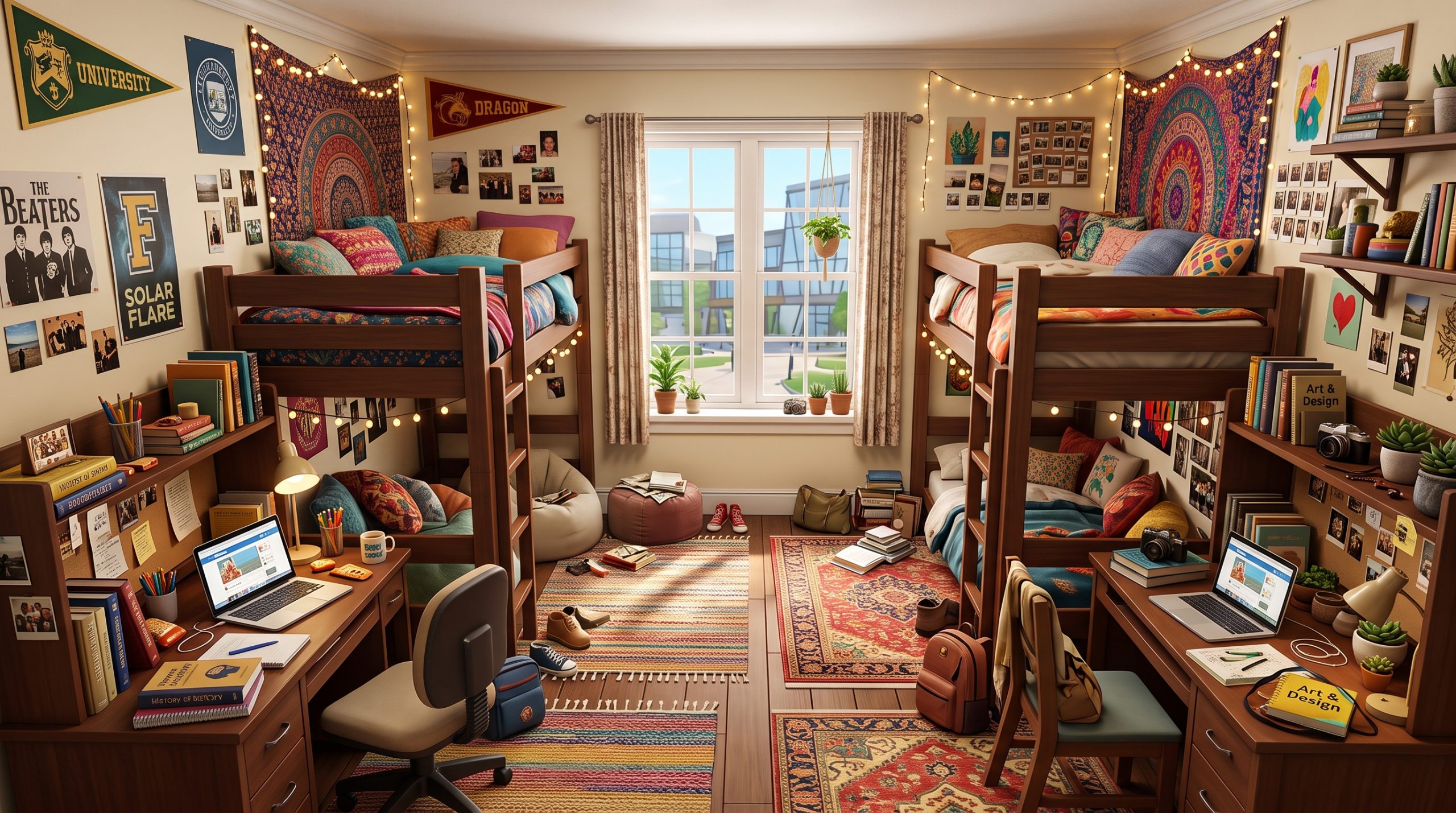

Building dedicated spaces for your Sims to practice their crafts transforms basic skill-building into an immersive storytelling experience. Whether your Sim is a struggling portrait painter living in a San Myshuno loft or a freelance digital illustrator operating out of a sleek home in Del Sol Valley, designing the right work environment matters. Exploring fresh Sims 4 creative studio ideas allows you to blend high-functioning skill objects with rich visual storytelling. A well-designed studio not only boosts your Sim’s moodlets through helpful emotional decor, but it also elevates the architectural character of your entire lot.
Must-Have Objects for a Functional Sims 4 Creative Studio
Before focusing on aesthetics, an art studio must support your Sim’s daily routine. The core functionality of any studio space depends on choosing items that allow Sims to build skills, generate income, and maintain high productivity without routing errors. A cluttered room looks fantastic, but if your Sim cannot reach their easel, the design falls flat.
When selecting items for a functional layout, prioritize equipment that directly ties into your Sim’s specific artistic discipline. Combining multiple artistic tools into a single room creates a multi-purpose workshop where creative Sims can experiment with different media.
Essential Skill-Building Equipment
Every studio needs a focal point that determines how the space is used. For traditional fine artists, the easel remains the quintessential build mode object. The base game offers standard easels, but packs like Discover University and City Living provide variant styles that fit vintage or industrial themes.
- Easels: The standard Easel of Distinction provides high-quality environmental scoring, but smaller portable easels allow flexibility in compact builds.
- Digital Sketchpads: The Digitalistic Sketchpad from the base game fits on any desk or dining table, making it a space-saving alternative for digital illustrators.
- Woodworking Benches: Found in the base game, these heavy-duty benches require a larger footprint and work best in garages, basements, or industrial lofts.
- Cross-Stitch Kits & Knitting Baskets: Introduced in Cottage Living and Nifty Knitting, these small interaction objects can be placed on side tables, armchairs, or desks to create micro-crafting stations.
- Fabrication Buttons & Candle Making Tables: Key objects from Eco Lifestyle that demand significant floor space and vertical clearance.
Storage, Task Lighting, and Ergonomics
A realistic studio requires functional storage and proper lighting. Placing task lights near work stations isn’t just visually pleasing; adequate lighting prevents Sims from receiving negative moodlets associated with poor room conditions. Wall-mounted shelving, storage chests, and side cabinets serve double duty by holding smaller decor pieces while filling empty floor space naturally.
Routing clearance is equally critical. Always leave at least one open grid tile in front of easels, desks, and crafting tables. Sims require enough space to step back, admire their work, or pull out a chair. Placing decorative rug overlays directly under easels adds realistic paint drips without blocking interaction pathways.
Rustic Loft Art Studios for Traditional Painters
The rustic loft aesthetic remains one of the most popular themes for a Sims 4 art studio build. Inspired by converted warehouse spaces in urban environments, this style pairs exposed architectural features with raw art supplies, giving the impression that the artist lives and breathes their craft around the clock.
To execute this style effectively, focus on structural textures. Exposed brick wall coverings, weathered wooden floorboards, and exposed ceiling beams set an authentic background. Large floor-to-ceiling industrial windows allow natural light to flood the room, which fits the narrative of a painter relying on daylight to capture accurate colors.
Architectural Elements for Industrial Lofts
Creating an industrial vibe requires leaning into raw, unfinished materials. Combine dark iron columns with distressed brickwork. If you own City Living or Eco Lifestyle, utilize the factory-style window options that feature metal grids and worn trim.
For multi-level studios, build a mezzanine floor overlooking the main canvas area. Place the primary painting area on the ground level under a double-height ceiling, while positioning a cozy break area or reference library on the loft space above. This split-level layout adds dramatic depth to your build and provides stunning camera angles during gameplay.
Decorating with Paint Splatters and Canvas Stacks
A painter’s workspace should rarely look pristine. The key to authentic rustic studio design lies in controlled clutter. Use floor rugs that imitate paint drips and splatters beneath the easel. Scatter paint jars, brush tubs, and rag piles across nearby side tables.
Stacking canvases along the walls gives the impression of a prolific output. You can achieve this look by placing blank or completed custom paintings against wall surfaces using build cheats. Adding wall sconces with warm light tones creates dramatic shadows across textured canvases, enhancing the room’s atmospheric feel during evening hours.
Modern Minimalist Workspaces for Digital Artists
Not every creative Sim works with messy oils and charcoal. For concept artists, animators, and graphic designers, a modern, minimalist room layout offers a clean environment tailored for high-tech productivity. This design approach prioritizes clean lines, concealed storage, neutral color palettes, and modern technology setups.
When planning a modern digital workspace, focus on sleek desk arrangements and organized cable management aesthetic. Placing a high-end computer setup next to a digital sketchpad creates an efficient dual-screen workflow for your Sim. Incorporating streamlined Sims 4 creative studio ideas like built-in wall cabinets and hidden ambient lighting ensures the room feels high-end and uncluttered.
Tech-Focused Furniture Layouts
Select desks with slim metal legs or floating wall-mounted designs from packs like Dream Home Decorator or Spa Day. Avoid bulky wooden executive desks, which overpower a minimalist footprint. Pair the desk with an ergonomic mesh chair to emphasize the professional nature of a modern freelance illustrator.
Position the desk setup perpendicular to a large single-pane window. This avoids glare while offering your Sim inspiring views of the neighborhood. Integrate flat LED light panels, wall-mounted monitors, and modern audio speakers along the desk perimeter to fill out the tech aesthetic naturally.
Sleek Color Palettes and Ambient Lighting
Minimalist studios thrive on restrained color schemes. Stick to cool grays, deep charcoals, bright whites, and soft wood tones. Introduce pops of color through targeted artwork, neon wall signs, or accent seating rather than busy wall patterns.
Lighting plays a major role in modern studio spaces. Use concealed LED strip lighting under floating shelves, recessed ceiling lights, and minimalist desk lamps. Setting the light intensity to soft white or light blue in Live Mode gives the studio a futuristic glow that fits digital creators perfectly.
Cozy Craft Rooms and Sewing Nooks Packed with Clutter
If your Sim focuses on textiles, knitting, cross-stitch, or paper crafts, a cozy craft room provides a warm, lived-in aesthetic. Unlike the sleek lines of a modern digital office, a solid Sims 4 craft room inspiration project embraces dense, colorful clutter. Walls filled with fabric swatches, shelves stuffed with yarn skeins, and surfaces covered in cutting mats create an inviting space.
Craft rooms work exceptionally well in smaller residential homes, converted spare bedrooms, or under-utilized hallway alcoves. By layering decor items densely, you turn an ordinary corner into a charming visual feature of your build.
Layering Clutter for a Lived-In Look
The secret to an inviting craft nook is density. Single clutter items placed sparsely across a wide shelf can look awkward. Instead, group objects closely together, mixing functional items like scissors, tape rolls, and pin cushions with cozy decorative touches like potted succulents and framed photographs.
- Yarn Storage: Use open wooden cubbies filled with colorful yarn balls from Nifty Knitting to create a vibrant feature wall.
- Fabric Rolls & Ribbons: Place rolled fabric baskets and hanging ribbon racks near sewing or cross-stitch stations.
- Surface Details: Add small clutter pieces like open books, button jars, and measuring tapes onto desks and craft tables.
- Floor Accents: Layer soft braided rugs under the workstation, and place overflowing scrap baskets next to the desk legs.
Small-Space Nook Layouts
You don’t need an entire room to build a convincing craft space. Small alcoves, converted walk-in closets, or spaces beneath open staircases make ideal locations for cozy nooks. Place a compact writing desk against the back wall of an alcove, stack wall shelves up to the ceiling, and surround the area with cozy wall art.
To keep the nook from feeling cramped during gameplay, ensure the room lighting remains bright. Wall-mounted clip lights or hanging pendant lamps provide targeted illumination without consuming valuable surface real estate needed for craft clutter.
Using Build Cheats to Create Custom Art Studio Details
To take your studio builds to the next level, relying solely on standard grid placement can be limiting. Utilizing build mode cheats allows you to bypass placement restrictions, elevate objects to custom heights, and access secret prop items that add unmatched realism to your creative spaces.
Mastering these tools empowers you to execute a complex Sims 4 artistic workspace design by placing canvases flat against furniture, angling clutter items, and creating custom storage units that aren’t available in the standard build catalog.
Mastering MoveObjects and Object Elevation
The most important cheat for studio builds is MoveObjects. Opening the cheat console (Ctrl + Shift + C on PC/Mac or all four shoulder buttons on console) and typing bb.moveobjects on unlocks absolute freedom over object placement.
- Free Placement: Hold down the
Altkey while dragging an object to bypass the grid entirely. This lets you place paint cans, brushes, and clutter at smooth, organic angles. - Object Elevation: Select an object and press
9to raise it or0to lower it. Use this feature to float paintings against walls at custom heights or stack craft boxes onto non-functional decorative surfaces. - Resizing Objects: Press the
]key to enlarge objects or the[key to shrink them. Shrinking large clutter items lets you fit more details onto small desk surfaces, while enlarging artwork creates custom gallery statement pieces.
Unlocking Secret Live Edit Art Clutter
The game’s hidden environment assets contain hundreds of prop items perfect for decorating studios. By entering bb.showhiddenobjects followed by bb.showliveeditobjects in the cheat console, you unlock access to the debug menu.
Filter your search by typing “debug” into the search bar. Here, you’ll find unique items such as individual paint tubes, architectural blueprints, extra canvas frames, spilled liquids, and specialized tools that are not listed in the standard buy mode menu. Mixing these debug items with everyday furniture gives your studio an authentic, professional touch.
Matching Studio Aesthetic to Your Sim’s Creative Traits
A well-designed build should reflect the Sim who uses it. Matching room design to your Sim’s specific personality traits, aspirations, and career paths creates a cohesive connection between build mode and Live Mode gameplay. Designing around your Sim’s personality ensures the environment feels uniquely theirs.
When planning a project with specific Sims 4 painting career build ideas in mind, consider how your Sim’s daily routine influences their space. A highly disciplined, perfectionist painter will maintain an entirely different studio layout than an chaotic, erratic artist driven by spontaneous mood swings.
Tailoring Spaces to Specific Creative Traits
The traits assigned to your Sim offer clear inspiration for room layouts, color choices, and clutter choices:
- Creative: Decorate with an eclectic mix of art styles, bright colors, wall murals, and dynamic lighting. Fill the space with inspiring clutter to trigger the Inspired emotion quickly.
- Art Lover: Focus on high-end gallery aesthetics. Use clean white walls, spot-lighting overhead, and display frames featuring classic paintings or valuable sculptures.
- Maker: Prioritize functional workstations like fabrication tables, candle-making stations, and juice fizzing rigs. Use recycled wood surfaces, industrial shelves, and tool racks.
- Perfectionist: Keep clutter minimal, organized, and symmetrical. Use matching storage drawers, sleek furniture lines, and immaculate paint tools neatly arranged on sideboards.
- Materialistic: Incorporate high-value furniture pieces, expensive digital tablets, gilded frames, and top-tier lighting fixtures to satisfy their desire for luxury surroundings.
Designing for the Painter and Freelance Careers
Sims pursuing the Painter Career or working as Freelance Digital Illustrators require specialized setups to support their work goals. Include career reward objects unlocked through promotions, such as the Master’s Easel or specialized art critique display racks, which boost productivity and provide strong emotional aura bonuses.
For freelance Sims, establish a small office zone within the studio equipped with a computer and phone area for taking client calls, submitting work samples, and monitoring deadlines. Dedicate a specific wall area as an “In-Progress Gallery” where Sims can hang recent masterworks before selling them off to collectors or art galleries.
Frequently Asked Questions
How do you make an art studio functional in The Sims 4?
To keep an art studio functional, ensure all interactive items—such as easels, desks, sketchpads, and crafting tables—have clear routing paths. Leave at least one empty tile directly in front of and around the object so Sims can interact with it without routing failures. Use the bb.moveobjects cheat carefully to avoid placing decorative clutter over interaction spots.
Which build mode cheats are best for decorating creative studios?
The essential cheats for decorating studios include bb.moveobjects on (bypasses grid snapping), bb.showhiddenobjects (unlocks debug clutter items), and bb.showliveeditobjects (unlocks environmental props like tools and raw materials). Using the 9 and 0 keys to raise or lower objects, and the bracket keys [ and ] to resize items, also helps create custom clutter arrangements.
Which expansion packs have the best art studio items in The Sims 4?
City Living offers excellent industrial loft elements, exposed brick textures, and street art clutter. Nifty Knitting and Cottage Living provide top-tier craft items like yarn baskets, cross-stitch sets, and cozy storage shelves. For modern digital studios, Dream Home Decorator and Get Famous offer modular desk systems, high-tech appliances, and sleek decorative items.
Can Sims complete creative career tasks in a home studio?
Yes, Sims working in the Painter career branch or operating as Freelance Illustrators, Crafters, or Digital Artists can complete almost all daily tasks and gig assignments from a home studio. Placing career unlock objects, computers, and specialized skill equipment in your home studio allows Sims to fulfill work requirements without traveling to alternate lots.
Conclusion
Designing a dedicated artistic workspace transforms simple skill grinding into an engaging, story-rich experience for your Sims. By balancing functional equipment needs with creative decor techniques, you can craft spaces that are visually stunning and highly efficient for gameplay. Experimenting with versatile Sims 4 creative studio ideas—whether through industrial loft spaces, sleek digital suites, or dense craft nooks—allows you to showcase your Sim’s personality while mastering build mode tools.