If you’ve just downloaded The Sims 4 and you’re staring at the main menu wondering what to do next — don’t worry. This beginner guide will walk you step-by-step through everything you need to know to start playing confidently today.
No complicated jargon. No overwhelming mechanics. Just clear, practical advice to help you enjoy the game from your very first Sim.
What Is The Sims 4?
The Sims 4 is a life simulation game where you create characters (called Sims), build homes, control careers, develop relationships, and shape entire generations.
There’s no “winning.”
There’s no final boss.
There’s only your story.
You decide whether your Sim becomes a successful scientist, a chaotic romantic, a master chef, or a dramatic villain. The freedom is what makes this game addictive — and incredibly creative.
Step 1: Starting a New Game
When you launch the game, click “New Game.”
You’ll immediately enter one of the most fun parts of the experience:
Create-a-Sim (CAS)
This is where you design your character.
You can customize:
- Face shape and body type
- Hair, makeup, clothing
- Voice and walk style
- Personality traits
- Life aspiration
Beginner Tip:
Start simple. Choose 3 personality traits that make sense together. For example:
- Cheerful
- Ambitious
- Outgoing
Then select an aspiration (like “Successful Lineage” or “Best-Selling Author”) to give your Sim direction.
You can always experiment more later.
Step 2: Choosing a World and Lot
After creating your Sim, you’ll choose a world to live in.
If you’re new, pick a starter world and:
- Choose a small residential lot
- Avoid expensive empty land at first
- Don’t overspend your starting money
Smaller homes are easier to manage and cheaper to maintain.
Remember: You can always upgrade later.
Step 3: Understanding the Interface
Once you enter Live Mode, you’ll see several important panels.
Needs Panel
Your Sim has basic needs:
- Hunger
- Energy
- Hygiene
- Fun
- Social
- Bladder
If these drop too low, your Sim becomes uncomfortable or even passes out.
In the beginning, your main goal is simple:
Keep your Sim alive and in a good mood.
Step 4: Getting a Job
Money is essential.
Click the phone → Find a Job.
Choose a career that matches your aspiration if possible. Early careers don’t pay much, but promotions come quickly if you:
- Complete daily tasks
- Build required skills
- Maintain a good mood before work
Beginner Strategy:
Before your Sim goes to work:
- Make sure they’re fed
- Let them shower
- Raise their Fun level
A happy Sim performs better.
Step 5: Building Skills
Skills unlock promotions, new interactions, and more money.
Some easy early skills:
- Cooking (practice by making meals)
- Logic (use a chess table)
- Writing (use a computer)
- Fitness (use workout equipment)
Hover over your career panel to see which skills you need.
Focus on 1–2 skills at a time so you don’t feel overwhelmed.
Step 6: Social Life and Relationships
Relationships are a huge part of gameplay.
Talk to neighbors.
Visit community lots.
Invite coworkers over.
Friendships unlock:
- Emotional support
- Career networking
- Fun events
Romantic relationships unlock:
- Marriage
- Moving in together
- Starting a family
Important:
Pay attention to conversation tones. Flirting too early can cause awkward moments.
Build friendship first.
Step 7: Building and Decorating Your Home
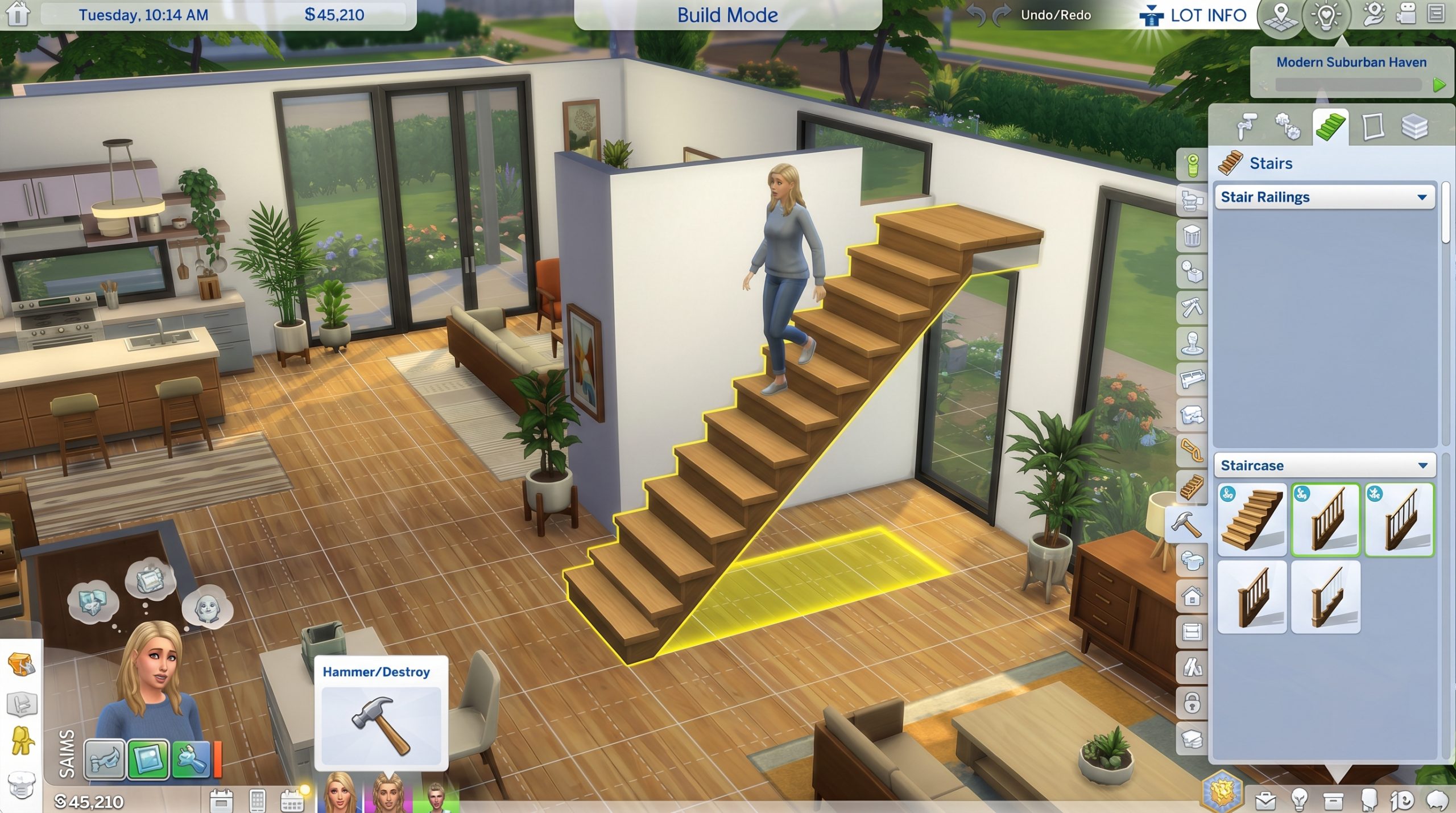
Build Mode allows you to:
- Add rooms
- Buy furniture
- Decorate interiors
- Landscape your yard
If you’re new to building:
Start by:
- Expanding one room at a time
- Upgrading cheap furniture gradually
- Prioritizing essentials (bed, shower, fridge, toilet)
Comfort level of objects affects mood and skill gain speed.
Step 8: Using the Gallery
The Gallery is an online library inside The Sims 4 where players share:
- Houses
- Sims
- Rooms
If building feels hard, download a starter house from the Gallery.
You can:
- Study layouts
- Modify designs
- Save time
It’s also great inspiration.
Step 9: Game Speed and Time Control
You control time.
- Pause to plan actions.
- Use normal speed for daily life.
- Fast-forward while sleeping or working.
This helps you manage multiple Sims later.
Step 10: Playing With Multiple Sims
Once you’re comfortable with one Sim, try adding:
- A roommate
- A romantic partner
- A child
Managing multiple Sims adds challenge but also depth.
Tip:
Use pause mode frequently when giving commands to multiple Sims.
Step 11: Optional — Using Cheats (For Learning Faster)
If you want to experiment freely, you can enable cheats:
Press:
Ctrl + Shift + C
Type:testingcheats true
Popular beginner cheats:
motherlode(adds money)stats.set_skill_level(boost skills)careers.promote(promotion)
Cheats are useful for testing ideas, especially when learning.
Step 12: Expanding the Experience
Once you understand the basics, you can explore:
- Generational gameplay (build a family legacy)
- Rags-to-riches challenge
- Career-focused storytelling
- Building dream mansions
- Creating dramatic storylines
Expansion packs add even more gameplay systems, but you can enjoy hundreds of hours with just the base game.
Beginner Mistakes to Avoid
- Spending all money on a huge house.
- Ignoring needs until crisis mode.
- Trying to max every skill at once.
- Managing too many Sims too early.
- Forgetting to save the game regularly.
Keep it simple at first.
A Simple First-Day Plan (Quick Start)
If you want structure, follow this:
Day 1:
- Cook a meal
- Find a job
- Introduce yourself to 1 neighbor
Day 2:
- Start building required career skill
- Improve your home slightly
Day 3:
- Build a friendship
- Save money
By the end of week one, your Sim should:
- Be promoted once
- Have at least 1 friend
- Have improved their living conditions
Why The Sims 4 Is So Addictive
Because it gives you:
- Total creative control
- Endless replay value
- Emotional storytelling
- Personal expression
Every save file becomes its own universe.
You’re not just playing a game.
You’re directing a life.
Final Thoughts: Start Playing Today
Don’t overthink it.
Create a Sim.
Move into a small house.
Find a job.
Talk to neighbors.
Upgrade slowly.
The beauty of The Sims 4 is that there’s no wrong way to play.
The only goal is to enjoy the story you create.