If you’ve recently launched after the 2026 update and noticed that railings have mysteriously disappeared from your builds, you’re definitely not alone. This issue has been affecting a wide range of players, from casual builders to advanced creators who rely heavily on detailed architecture. Missing railings can make stairs look unfinished, balconies unsafe, and entire builds visually broken. While it may seem like a minor bug at first glance, it can significantly disrupt gameplay and aesthetics, especially for those who share builds in the Gallery. Fortunately, there are several ways to troubleshoot and fix this issue effectively. In this guide, we’ll walk through the most reliable solutions and explain why this problem happens in the first place.
One of the most common causes of missing railings is outdated custom content or mods that conflict with the latest game update. The 2026 patch introduced changes to build-mode assets, which means older mods may no longer function correctly. Even if railings appear in the catalog, they might fail to render properly when placed. This happens because the game’s internal structure for objects has been adjusted, and mods that modify build tools or UI can interfere with it. If you’re using mods, the first step is always to disable them and test the game in a clean state. Many players find that simply removing outdated mods instantly restores missing railings.
Another factor to consider is corrupted cache files, which can cause various visual glitches in the game. Over time, has updated how The Sims 4 handles cached data, but leftover files from previous versions can still create conflicts. Deleting the cache forces the game to regenerate fresh data, often resolving issues like invisible objects. To do this, navigate to your Sims 4 folder and remove files such as “localthumbcache.package.” This process is safe and does not affect your saved games or builds. After clearing the cache, restart the game and check if the railings have reappeared.
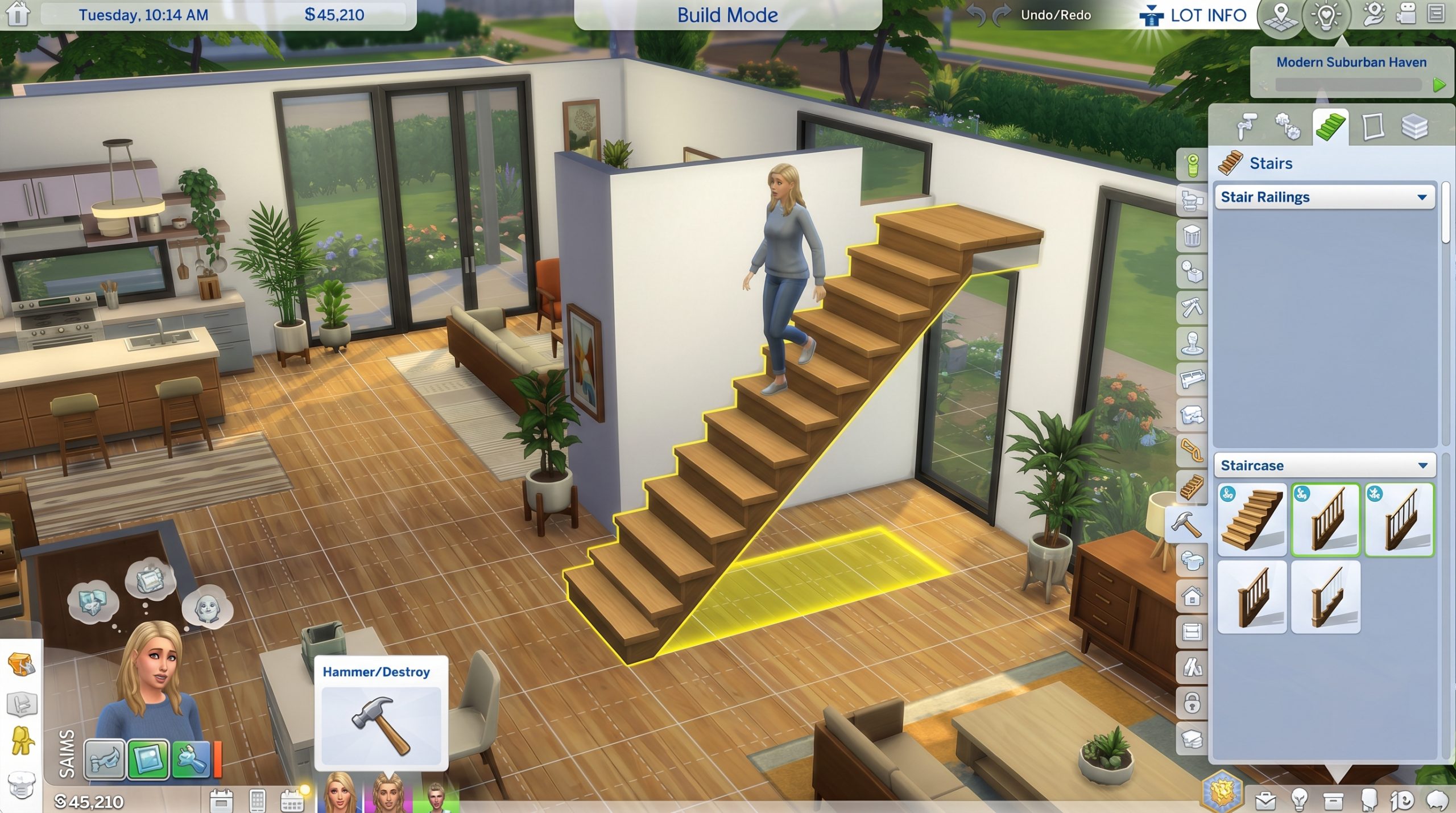
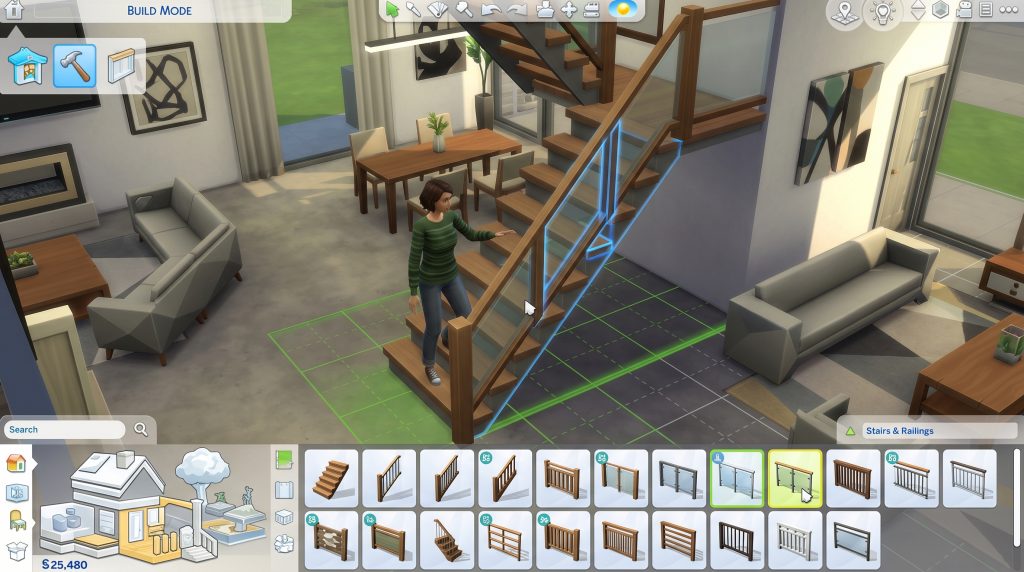
In some cases, the issue is tied to specific lots or builds rather than the entire game. If you downloaded a house from the Gallery or imported a save file, the missing railings might be due to missing packs or improperly transferred assets. The game sometimes substitutes unavailable items with invisible placeholders, which can result in railings not showing up at all. To fix this, try replacing the railings manually in build mode. Remove the existing staircase or balcony fencing and reapply a new railing from the catalog. This often refreshes the object and forces the game to render it correctly.
Graphics settings can also play a surprising role in this issue, especially on lower-end systems or after updates. The Sims 4 dynamically adjusts object rendering based on performance settings, and sometimes railings fall into a category that gets simplified or hidden. If your graphics are set to low, certain details might not display properly. Increasing the graphics quality, particularly object detail and lighting, can help restore missing elements. While this may slightly impact performance, it often resolves visual inconsistencies like disappearing railings. It’s worth experimenting with settings to find a balance between performance and visual fidelity.
Another overlooked solution is repairing the game through the EA app. Updates can occasionally install incorrectly, leaving certain files incomplete or corrupted. By using the repair function, the launcher scans your game files and replaces anything that’s missing or damaged. This process ensures that all build-mode assets, including railings, are properly installed. It’s a straightforward fix that doesn’t require reinstalling the entire game. Many players report that running a repair after a major update resolves multiple issues at once, including this one.
For players who rely heavily on custom builds, it’s important to stay updated with mod creators and community fixes. Many modders release patches shortly after major updates to ensure compatibility. Checking forums, Discord servers, or mod pages can help you find updated versions of your favorite tools. If a specific mod is causing the issue, you may need to wait for a fix or temporarily remove it. Keeping your mods organized and updated reduces the risk of bugs like missing railings in the future. It also helps maintain overall game stability, especially after large updates.
There are also cases where the issue stems from the game’s own bugs rather than user-side problems. The Sims 4 has a long history of occasional visual glitches following updates, and railings are not immune. When this happens, the best approach is to report the bug through official channels or check if others are experiencing the same issue. Developers often release hotfixes to address widespread problems. In the meantime, using temporary workarounds like replacing railings or rebuilding affected areas can help maintain your gameplay experience.
Interestingly, some players have found that switching between build mode and live mode multiple times can trigger the railings to reappear. This suggests that the issue may sometimes be related to rendering delays rather than permanent glitches. While this isn’t a guaranteed fix, it’s a quick and easy step worth trying. Similarly, saving and reloading the lot can refresh object visibility. These small actions can occasionally resolve the problem without deeper troubleshooting.
Another useful trick involves resetting the staircase entirely. Instead of just replacing the railing, delete the entire staircase and rebuild it from scratch. This forces the game to reassign all associated components, including railings. In many cases, this resolves hidden conflicts that aren’t immediately visible. It’s a slightly more time-consuming solution, but it’s often effective when simpler fixes don’t work. Builders who care about precision may find this approach especially useful.
Ultimately, fixing missing railings in The Sims 4 after the 2026 update comes down to identifying the root cause. Whether it’s outdated mods, corrupted cache files, graphics settings, or game bugs, each issue has a corresponding solution. By methodically testing each possibility, you can quickly restore your builds to their intended appearance. While the problem can be frustrating, it’s usually temporary and fixable with the right steps. Staying proactive with updates and maintenance will help prevent similar issues in the future. With a bit of troubleshooting, your staircases and balconies will look complete again in no time.